Fixed Assets Future Depreciation Report
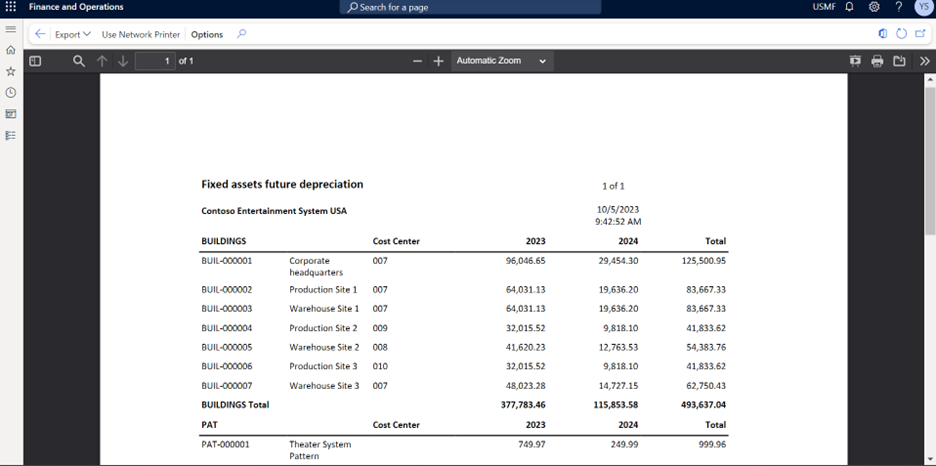
For many companies, being able to provide reporting on future depreciation for all fixed assets are required for financial reporting disclosures. This report provide fixed asset listing with depreciation amounts by period.
To run the report
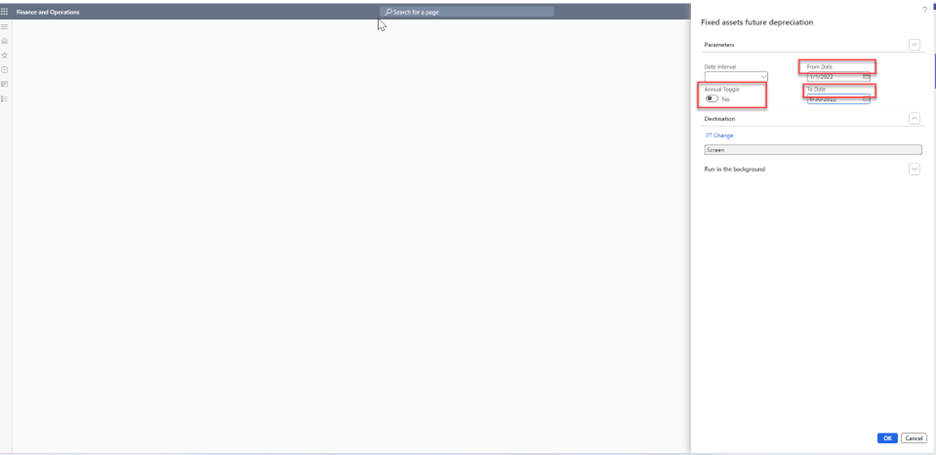
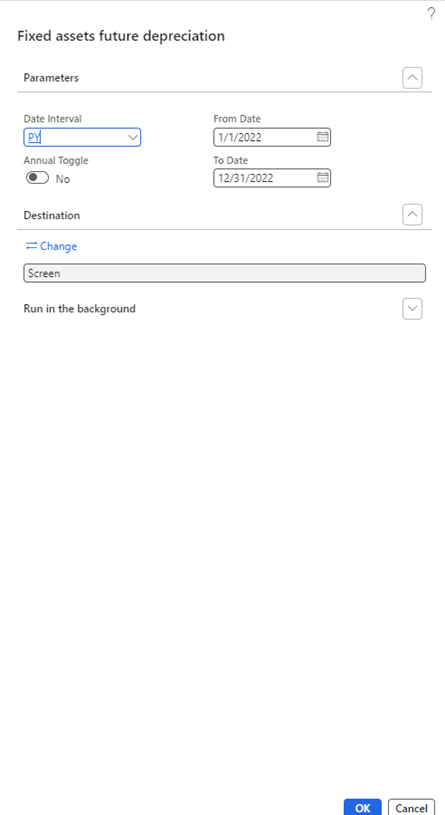
- Navigate to Fixed assets > Inquiries and reports > Fixed asset future depreciation
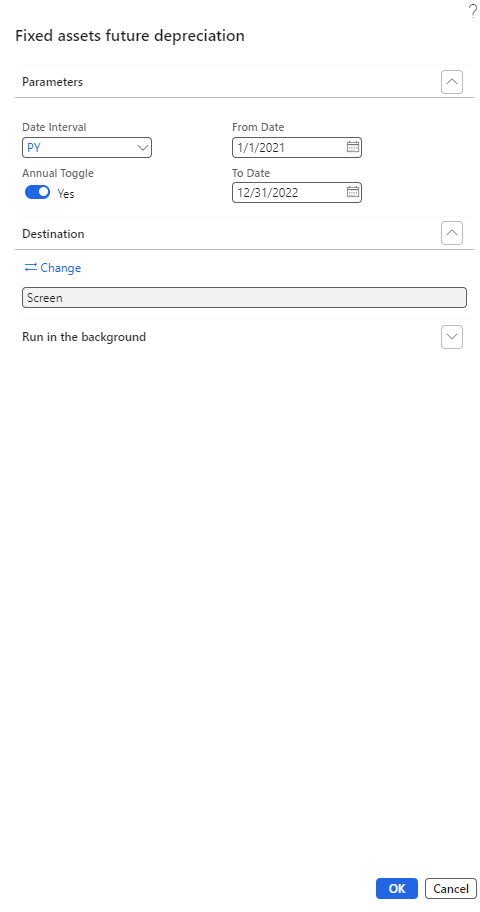
- Confirm Date interval selection with drop down parameter exists
- Select appropriate Date interval
- Confirm Annual total toggle exists
- Toggle Annual total to Yes
- Confirm From date selection parameter exists
- Select or enter From date
- Confirm To date selection parameter exists
- Select or enter To date
- Click OK
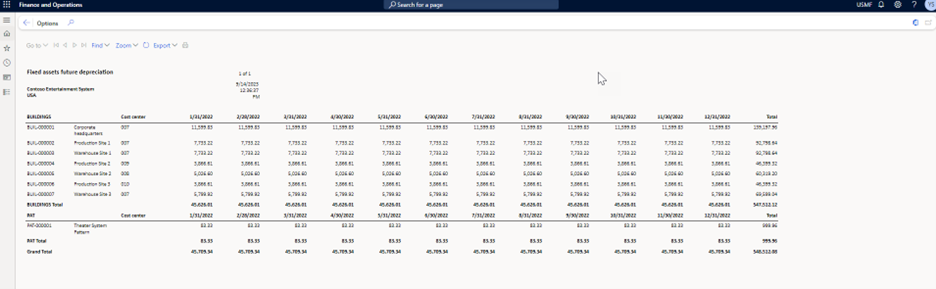
- Confirm the report name is Fixed asset future depreciation
- Confirm the Fixed asset group on the report
- Confirm the Fixed asset number on the report
- Confirm the Fixed asset description (name) on the report
- Confirm the Cost center dimension on the report
- Confirm the Dates are totaled by Year on the report
- Confirm the Depreciation amount on the report
- Confirm the report is grouped by Fixed asset group with totals by Fixed asset group
- Confirm Grand total on report
- Confirm the Legal entity where report was run is on the report
- Confirm the Page number(s) on the report
- Confirm the Date on the report
- Confirm the Time on the report
- Click Export
- Click Excel or any other Export option
- Confirm Export functionality
- Click the Printer Icon
- Confirm Print functionality
- Close the form(s)
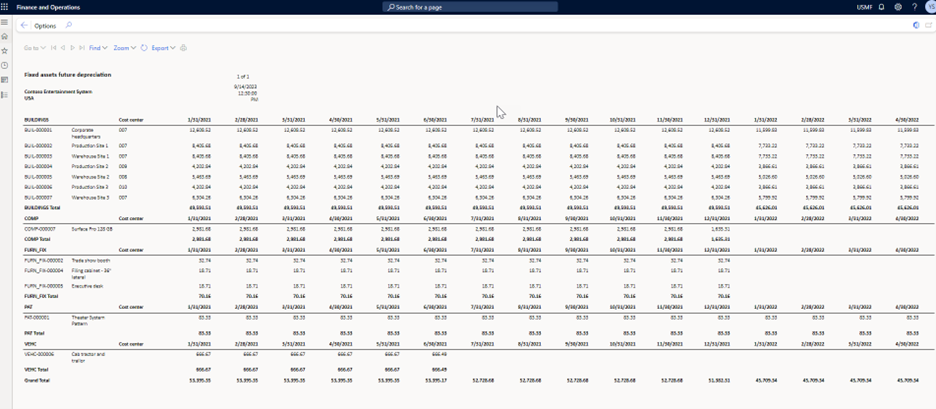
Turn the Toggle Annual to NO and run the report.
For calendar year April to March: