Set Primary shipping warehouse
Overview
The Set Primary shipping warehouse feature allows you to designate a default delivery warehouse, enabling shipments to be sent from the warehouse closest to the customer when the primary delivery warehouse stock is insufficient to fulfill the order.
Options:
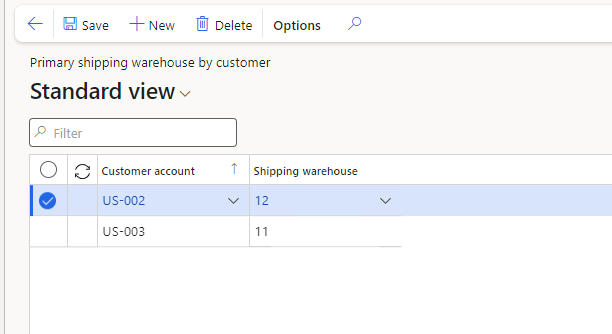
Delivery address shipping warehouse customer override
Navigate to AXIO > Warehouse extender app > Default shipping warehouse setup > Delivery address shipping warehouse customer override.
Click New.
Click the Customer account lookup and select a customer.
Click the Shipping warehouse lookup and select a warehouse to designate as the Primary shipping warehouse for that customer.
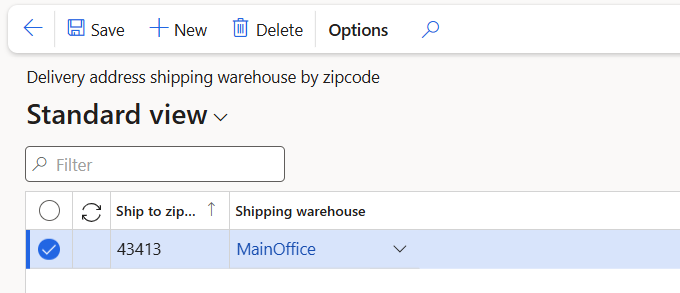
Delivery address shipping warehouse by zipcode
This feature helps designate shipping warehouses based on zip codes, ensuring orders are fulfilled from the closest available warehouse when the primary location lacks sufficient inventory.
Navigate to AXIO > Warehouse extender app > Default shipping warehouse setup > Delivery address shipping warehouse by zipcode.
Click New.
Enter a zipcode.
Click the Shipping warehouse lookup and select a warehouse to designate as the Primary shipping warehouse for that zipcode.
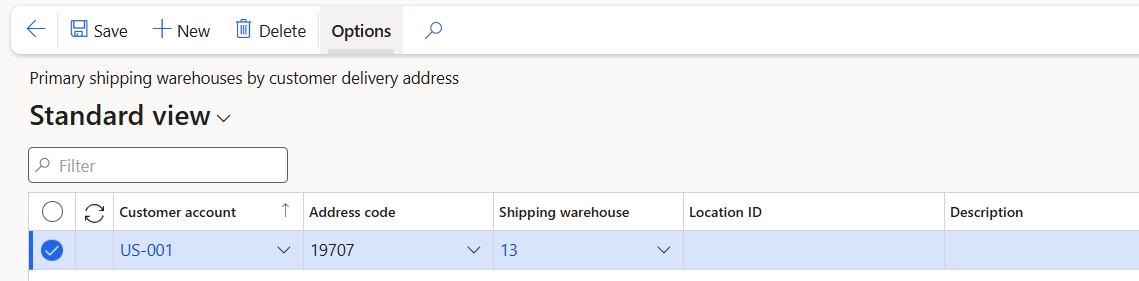
Delivery address shipping warehouse ship-to override
This feature designates the Primary shipping warehouse based on the customer's Delivery address (Address code), ensuring items are shipped from the closest available warehouse.
Navigate to AXIO > Warehouse extender app > Default shipping warehouse setup > Delivery address shipping warehouse ship-to override.
Click New.
Complete the following fields:
- Customer account
- Address code
- Shipping warehouse
- Location ID (optional)
- Description (optional)
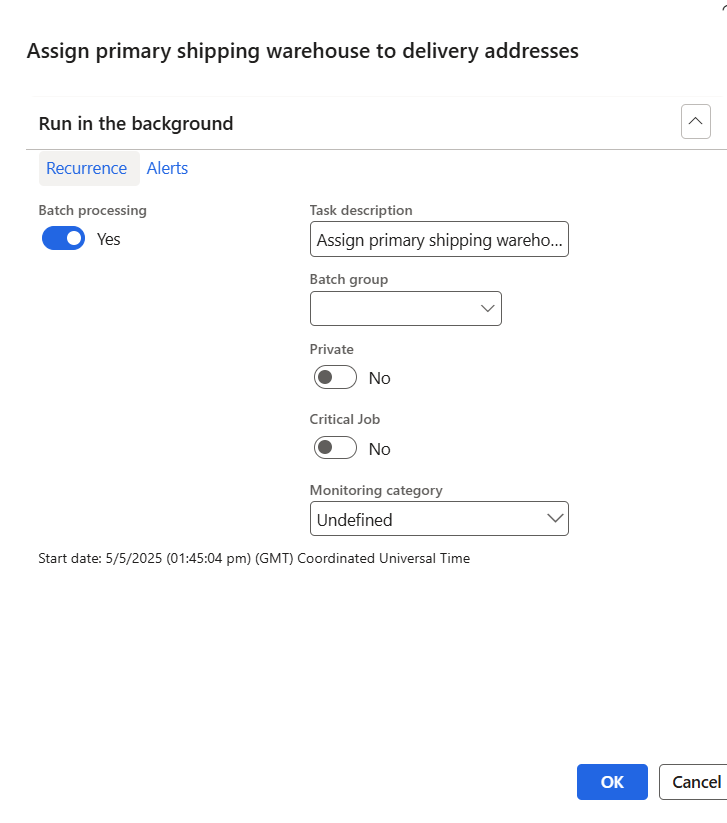
Assign primary shipping warehouse to delivery addresses
This batch process needs to be run to ensure shipping warehouses are changed on sales orders when the specified warehouse does not have sufficient quantity to fulfill an order. This process can be scheduled to run in the background.