AXIO Distribution - Enable Serial Numbers in Quality Orders
Overview
The Enable Serial number in quality orders feature provides the ability to review serialized items after purchasing receipt and individually do quality assurance to pass or fail the receipt by serial number.
Processing
Confirm receipt of Item and serial numbers through the mobile warehouse app.
in the mobile app, Check values, then confirm.
Enter the Purchase Order number.
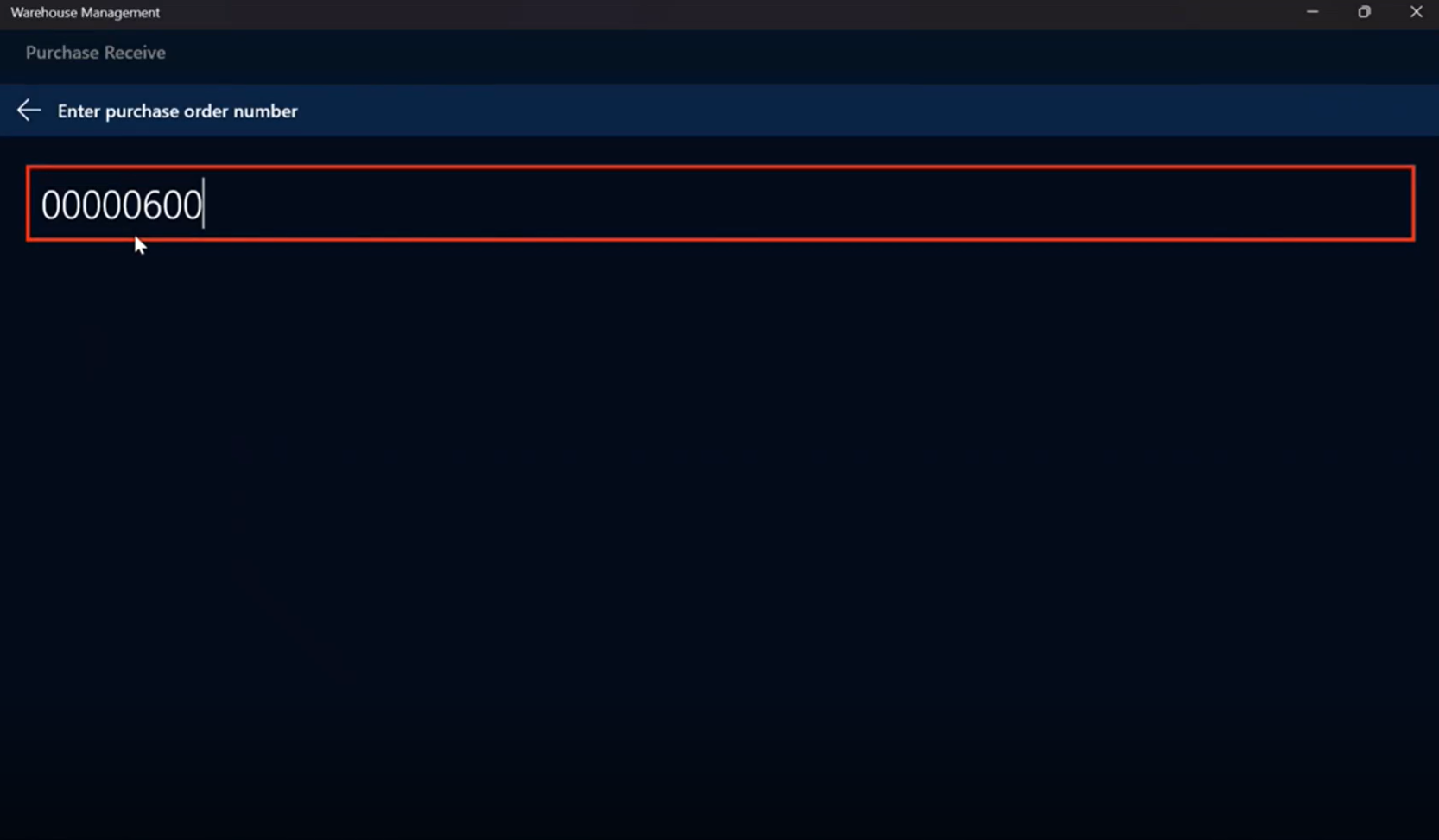
Enter or scan the serial number(s).
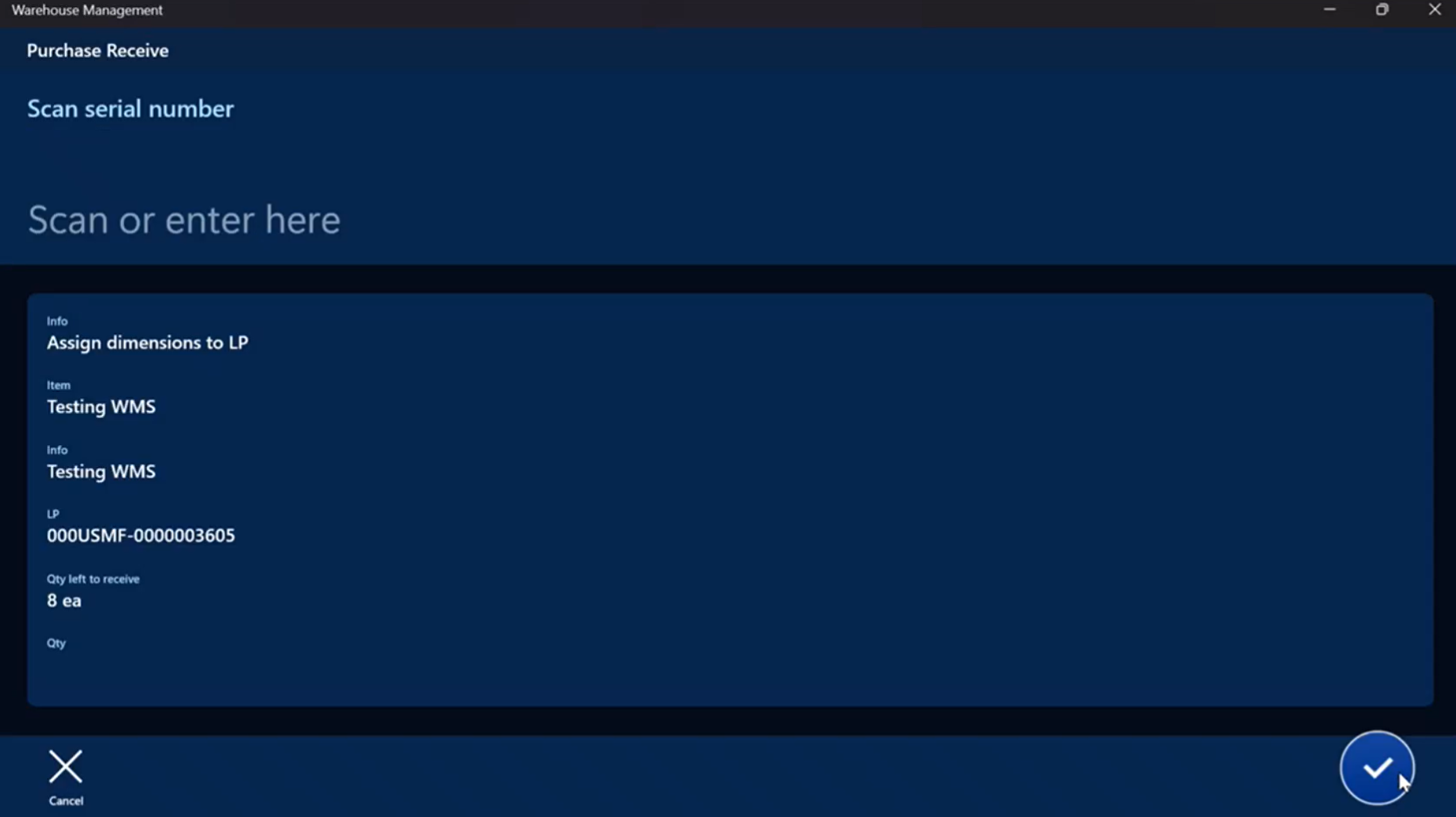
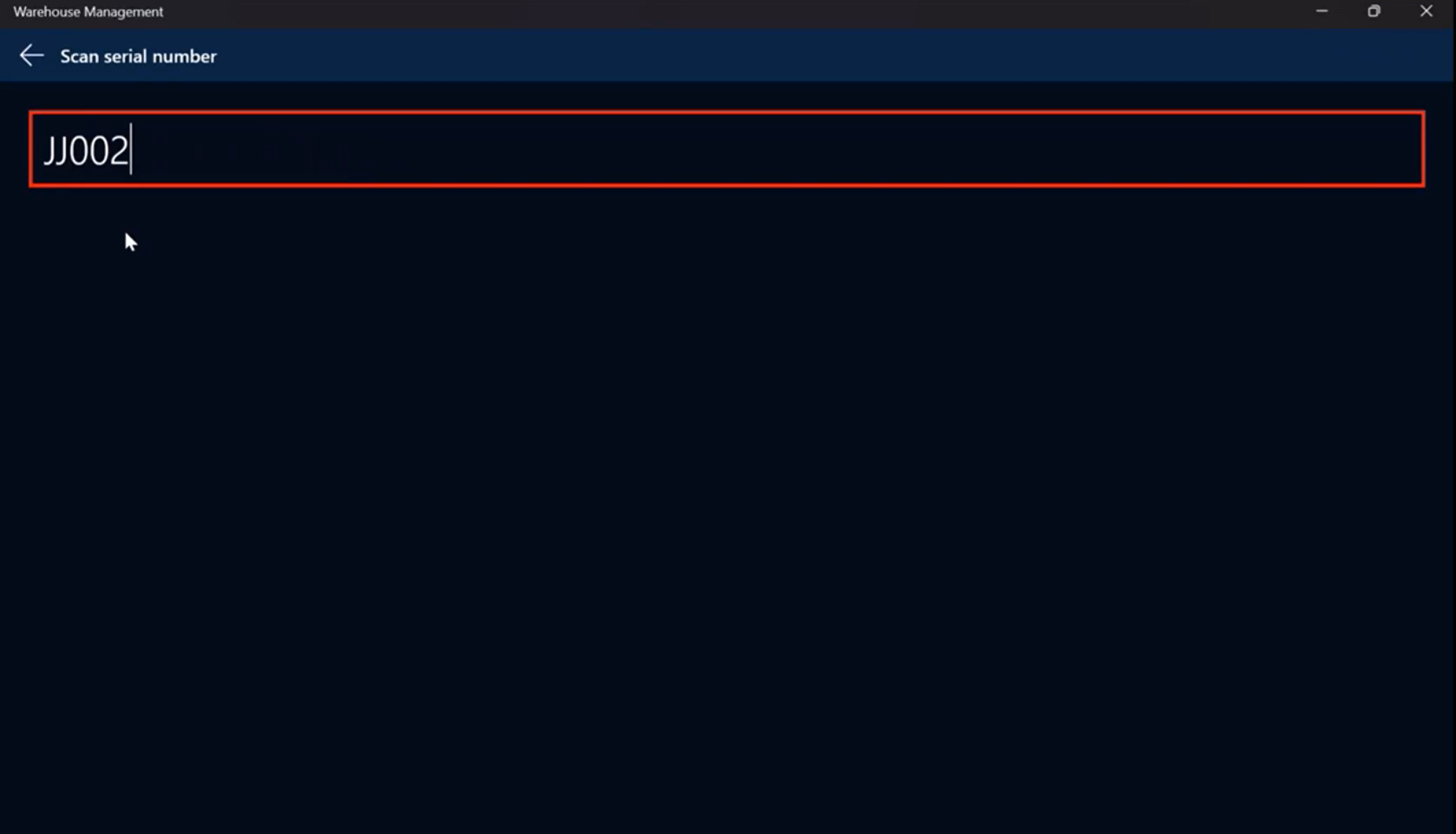
Repeat for all serialized items in the batch.
Post the product receipt batch.
Select Quality management > Quality orders.

Click Results tab in the Quality order line section for the Item received.
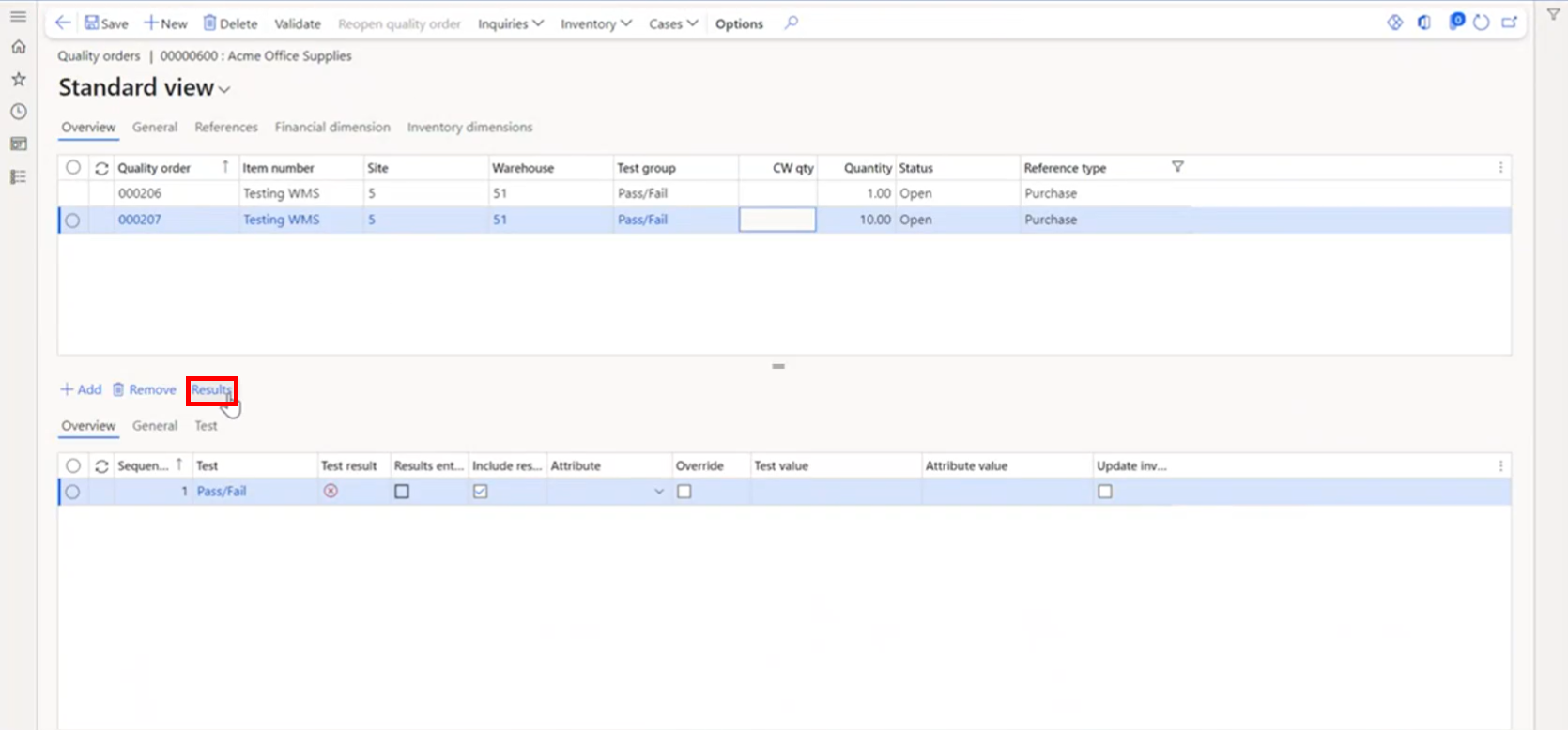
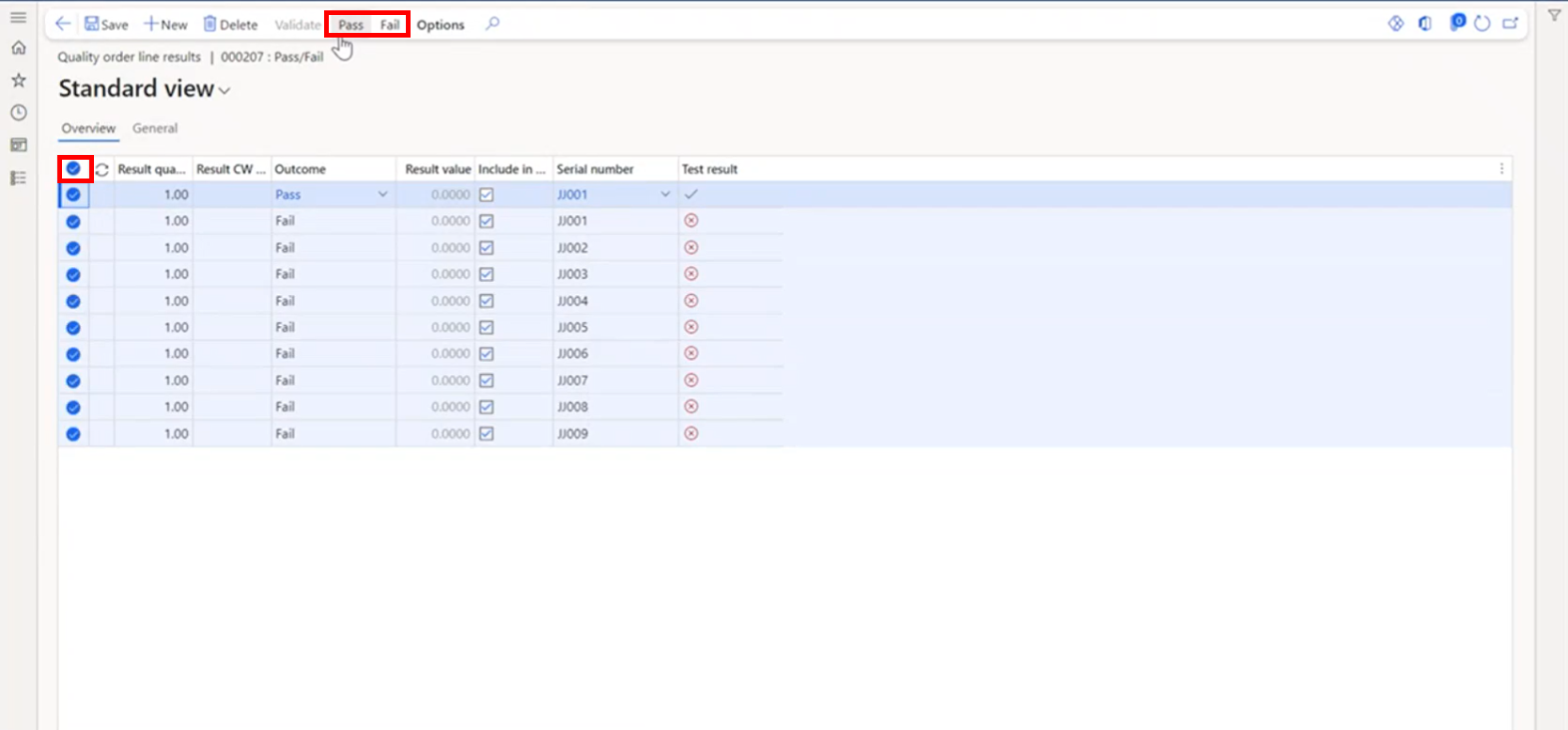
The Quality order line results page displays. Each serial number received displays.
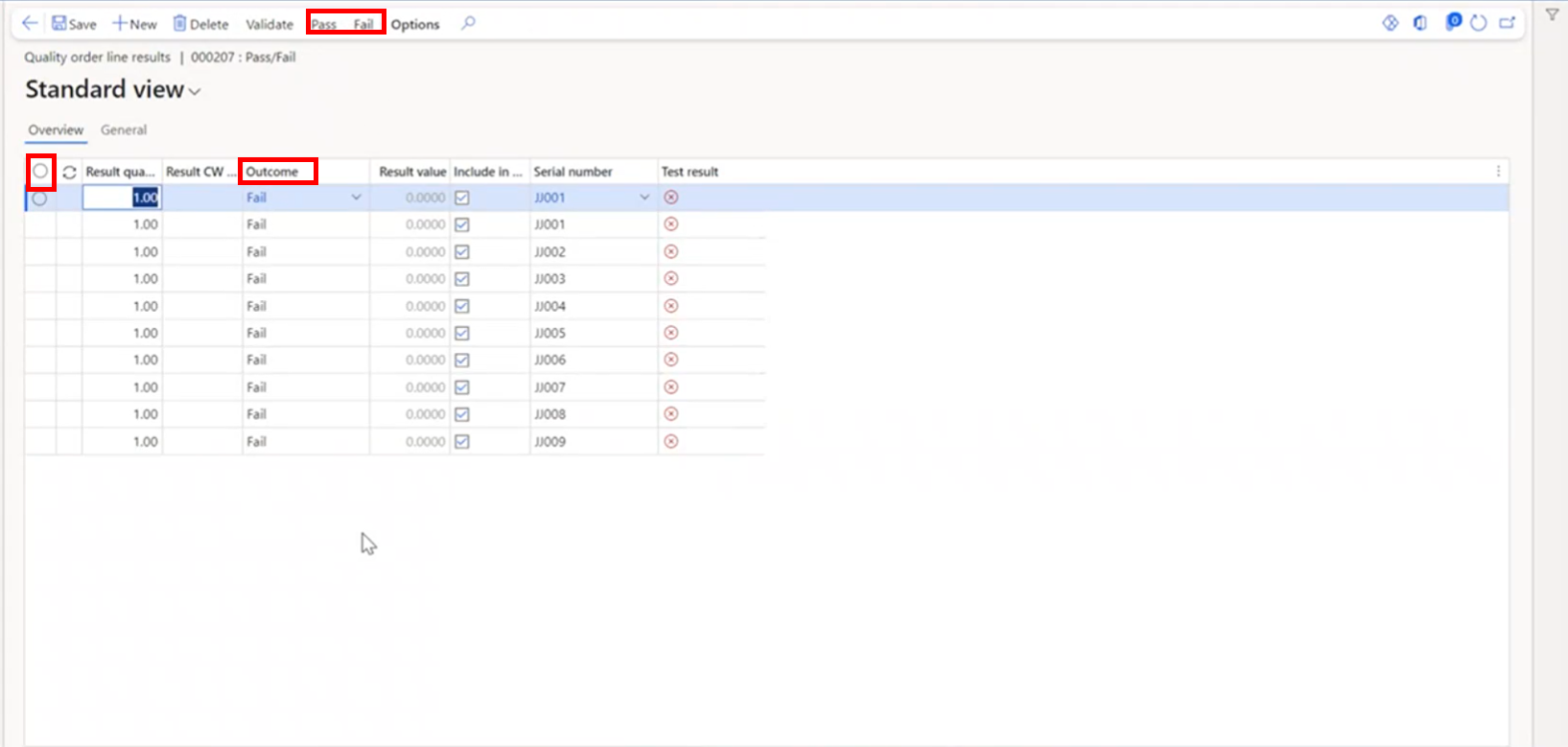
By default, the Outcome field displays as Fail. You can change the Outcome value to either Pass or leave it as Fail, depending on the testing results.
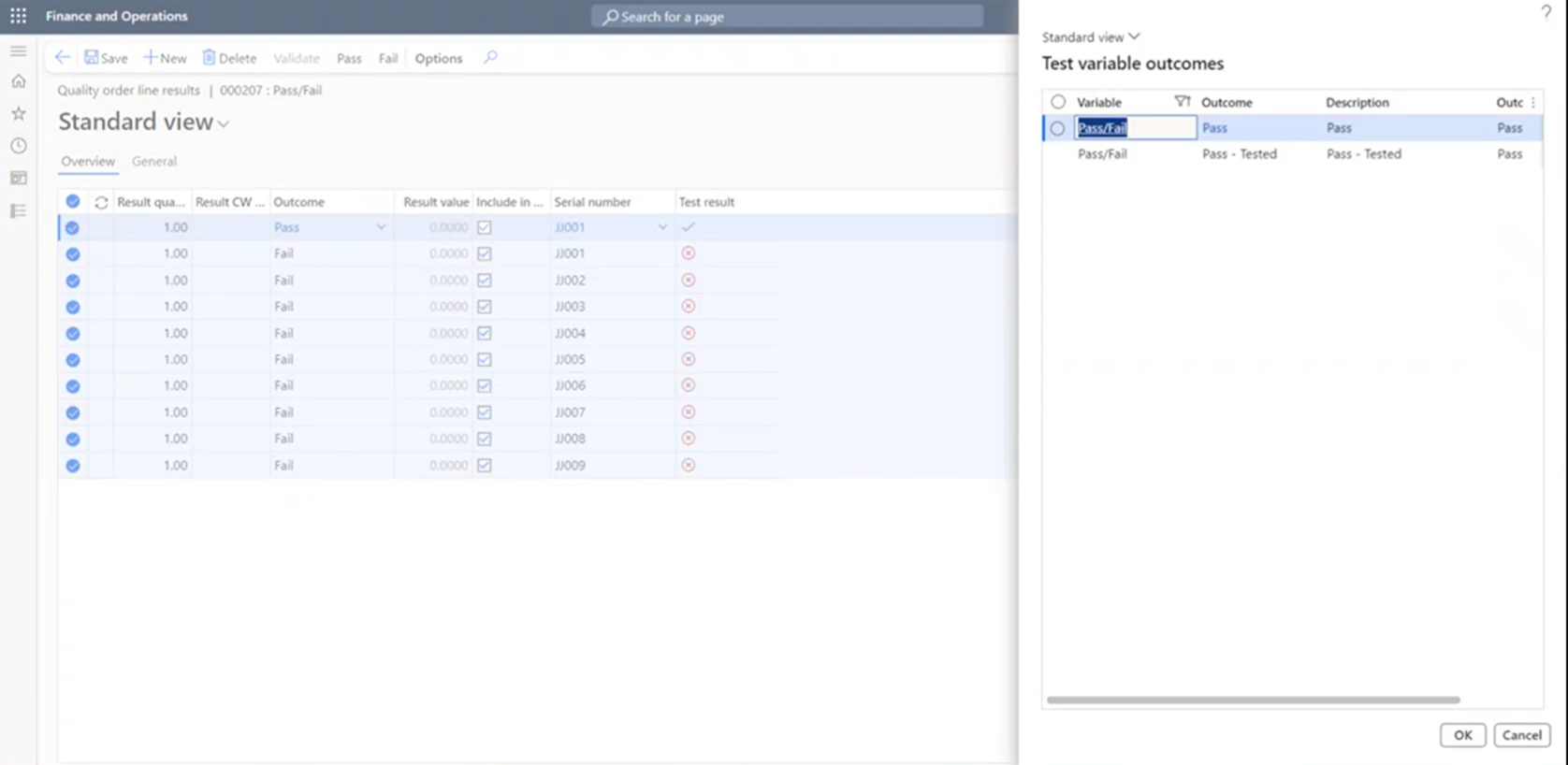
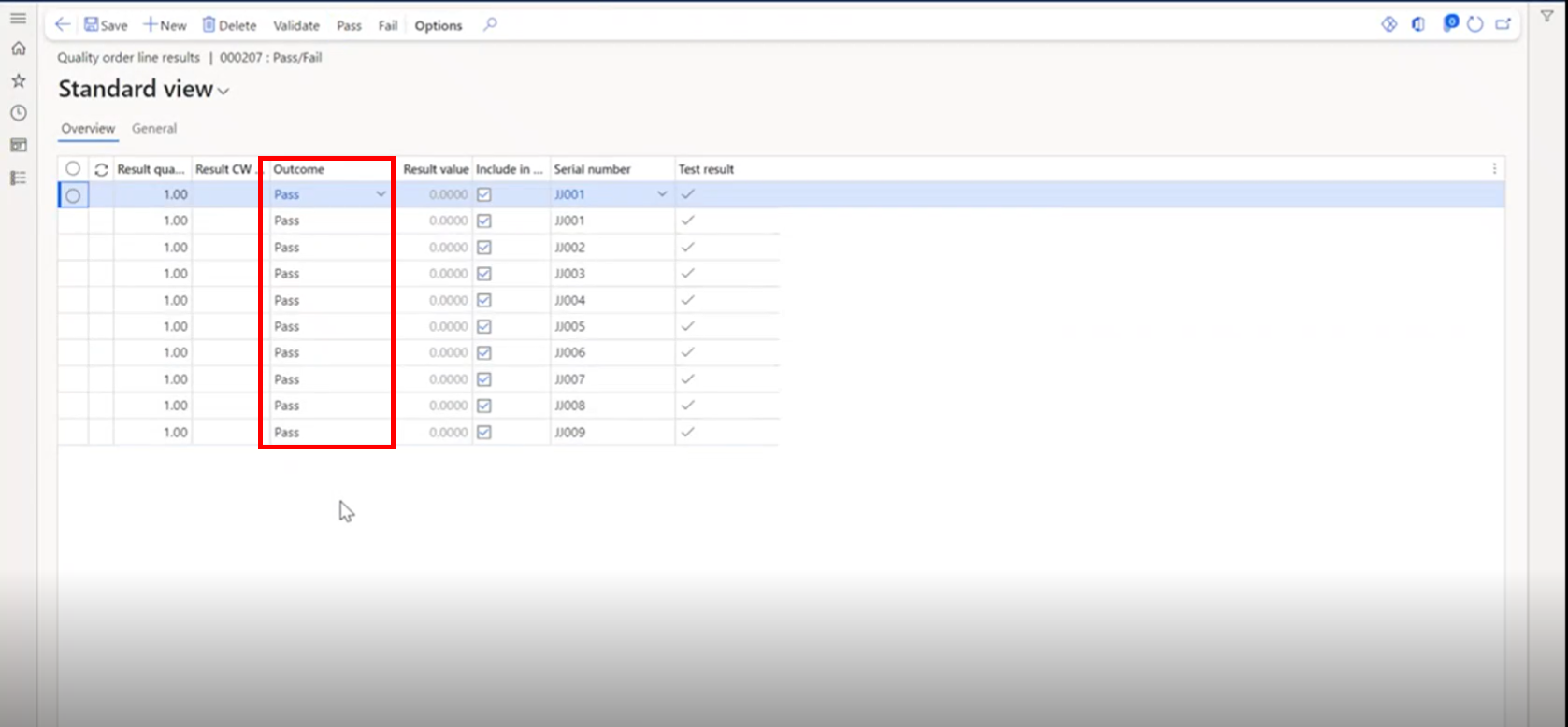
Click Pass in the menu, which opens the Test variable outcomes page. Use the Pass if only a visual inspection was done or select Pass - Tested option if the item was inspected and passed. The value in the Outcome field changes.
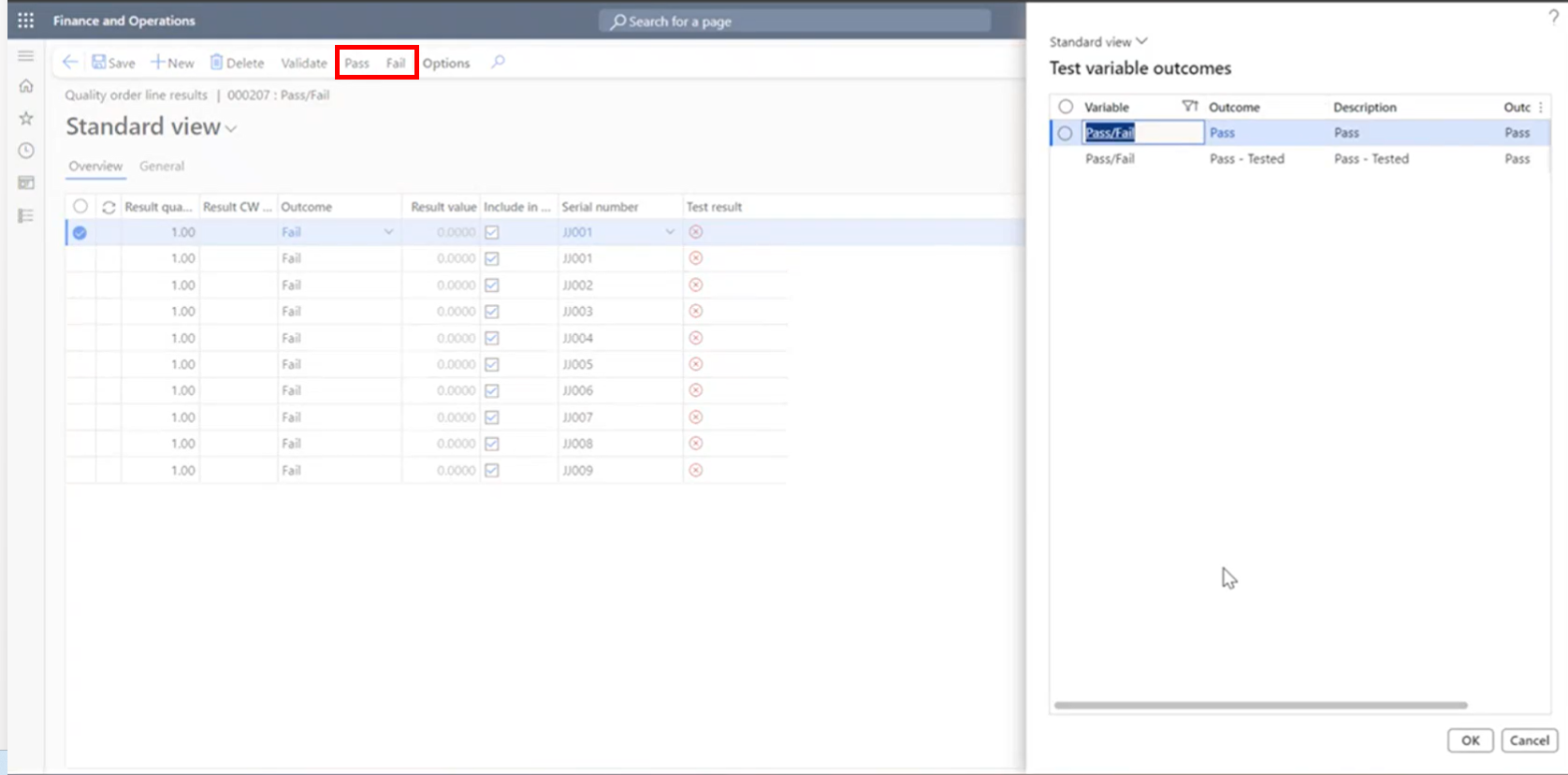
If all items in the line should be passed or failed, you can use the Select all radio button to select all lines, then use the Pass or Fail options in the menu to get the Outcome value at one time.