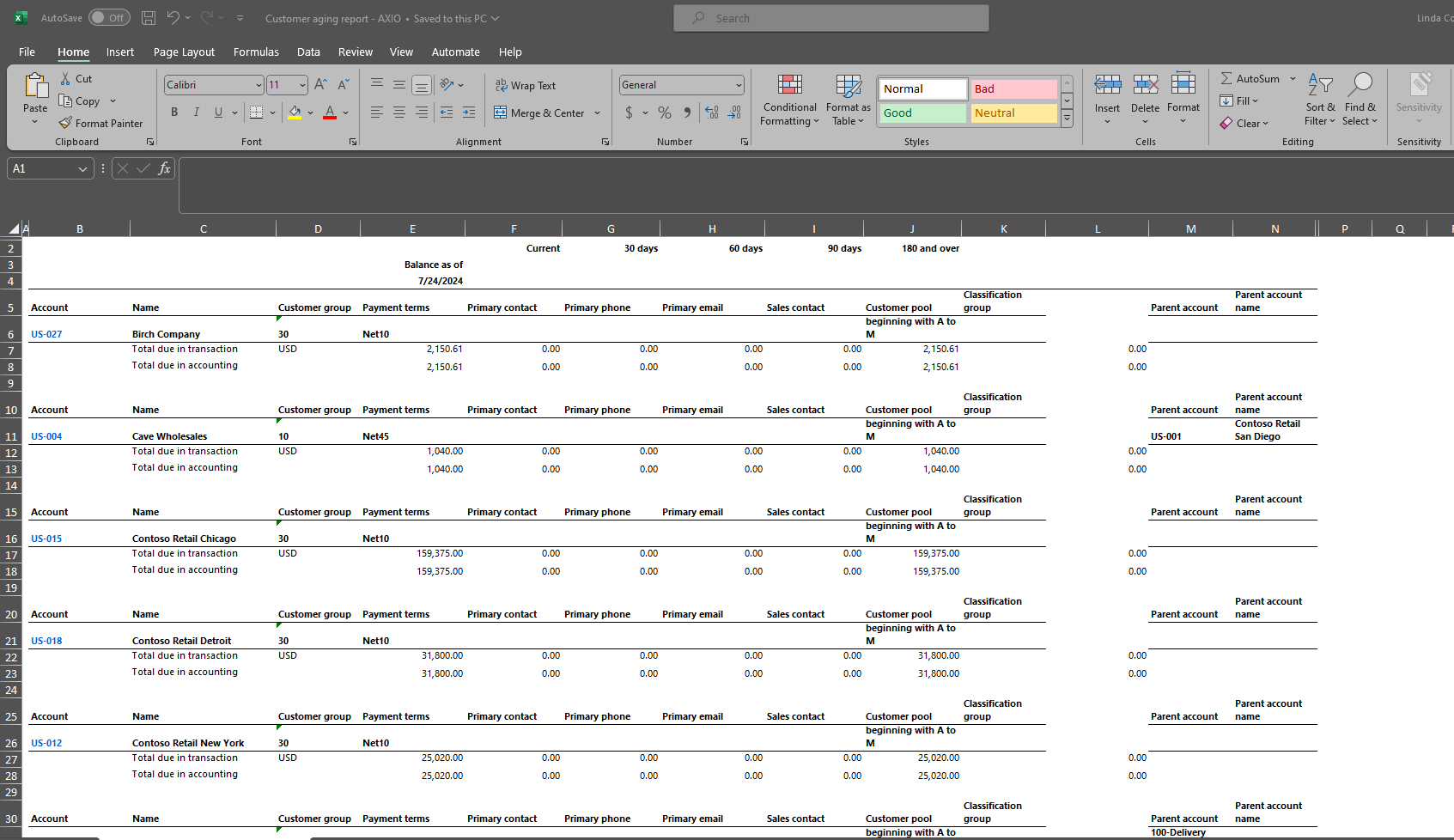
AXIO - Global customer aging report
The Microsoft Dynamics Finance & Operations AXIO-Global customer aging report displays the balances that are due from customers, sorted by date interval, or aging period. For information on this standard Report, see: AXIO-Global customer aging report
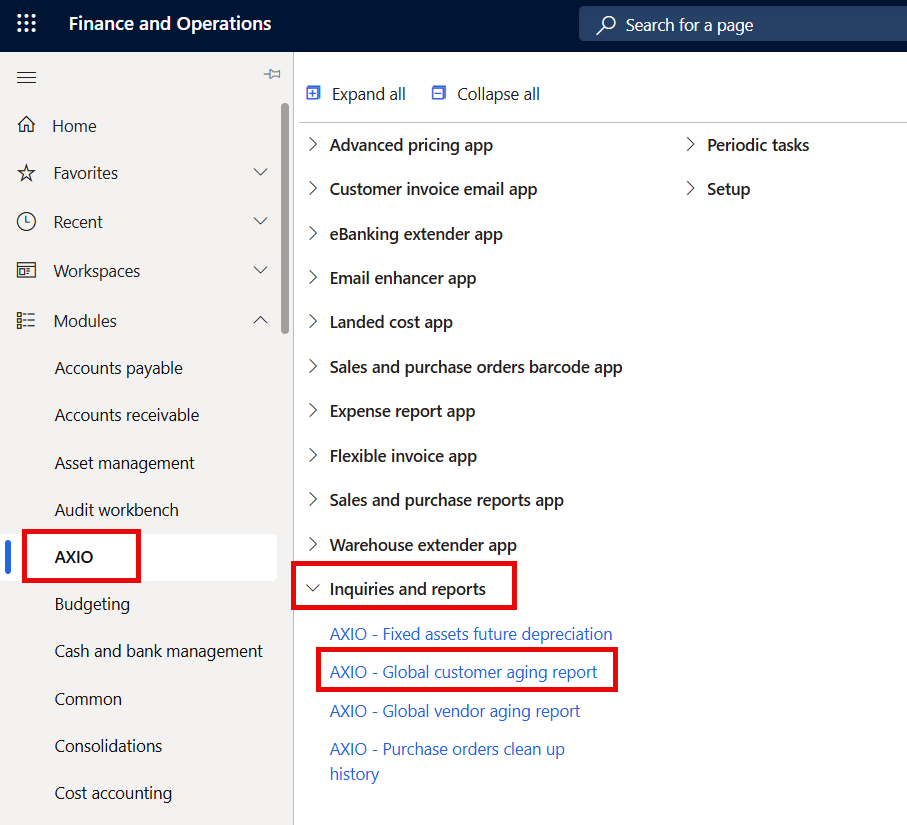
Navigate to the AXIO - Global customer aging report: AXIO >Inquiries and reports > AXIO - Global customer aging report.
The AXIO enhancement to this report modifies the header section of the Summary Customer Aging Report to include additional fields and hide fields.
The Customer Aging Report includes the following fields from Customer page:
- Payment Terms
- Primary Contact
- Primary Phone
- Primary email
- Sales contact
- Customer pool
- Hold status
- Parent account
- Parent account name
- Currency
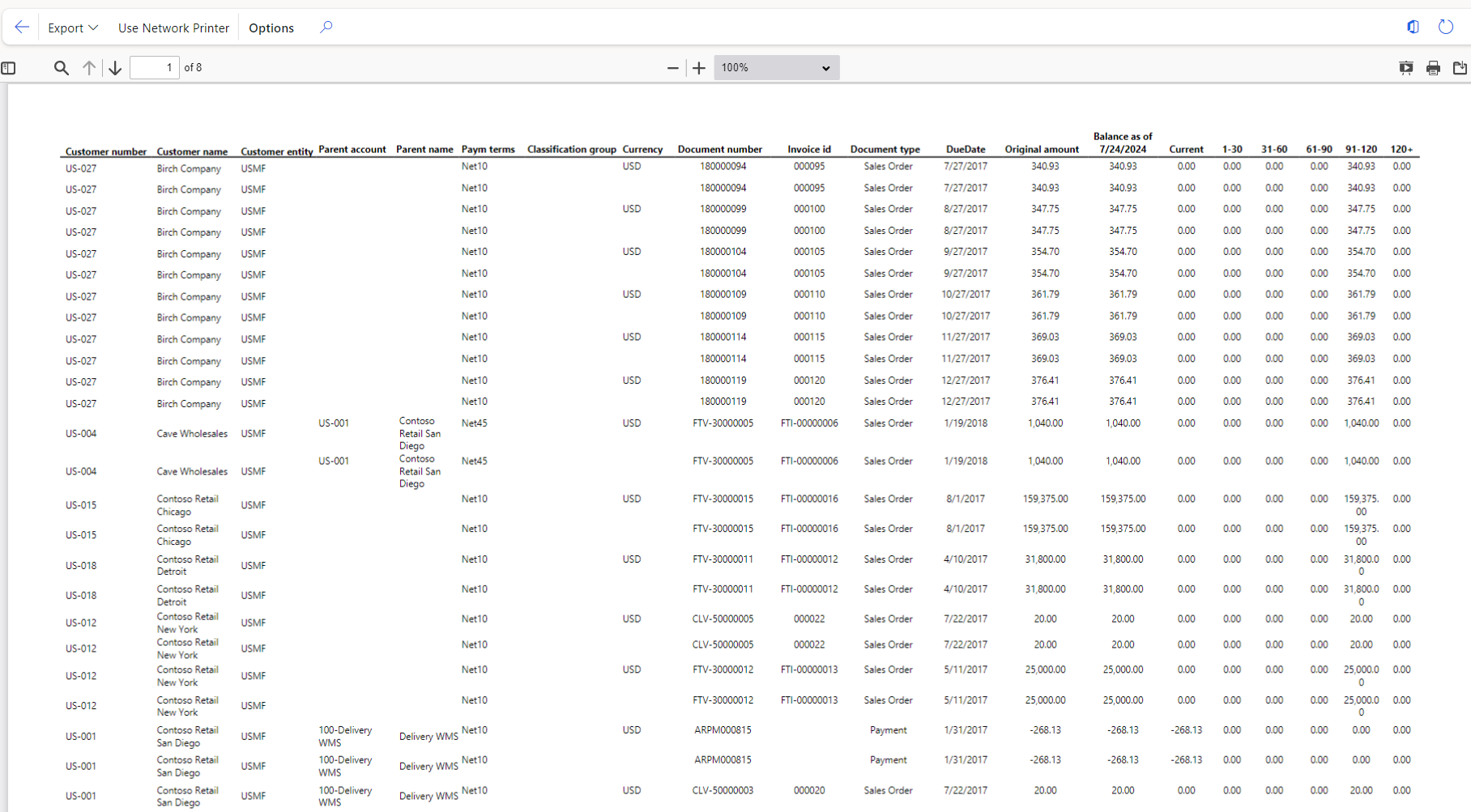
Details = Yes (Detail report)
To run the report with Details, set the Details button to 'on'.
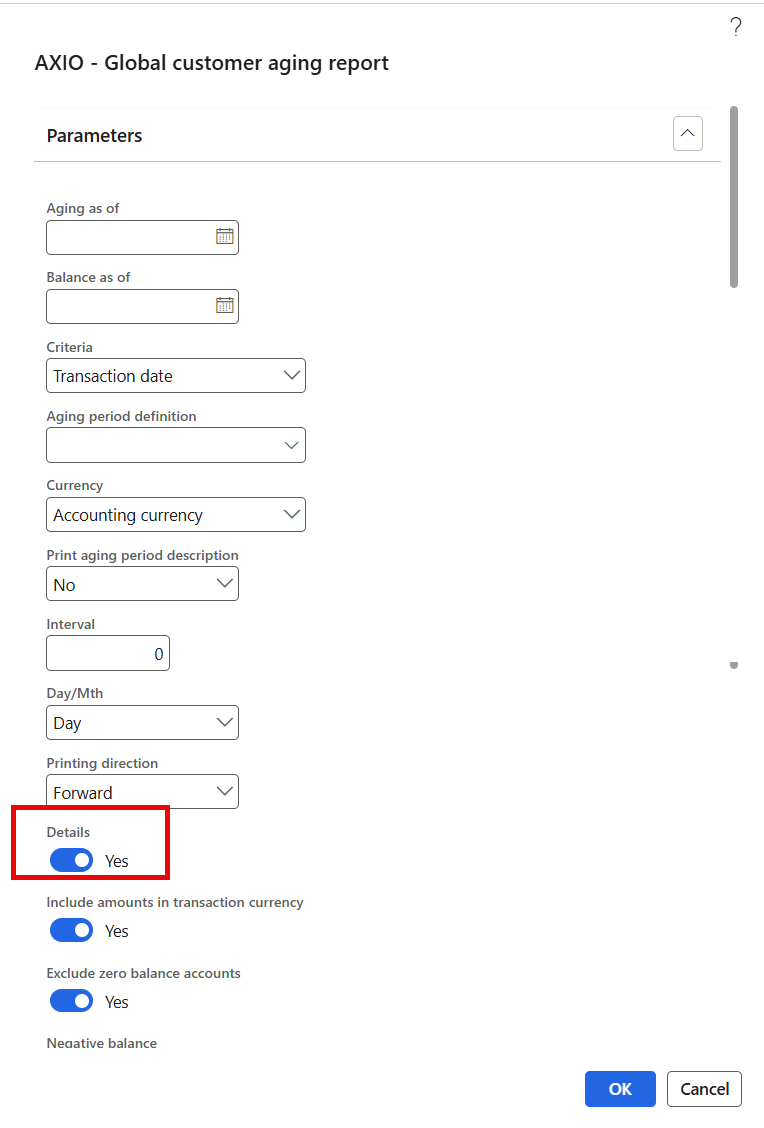
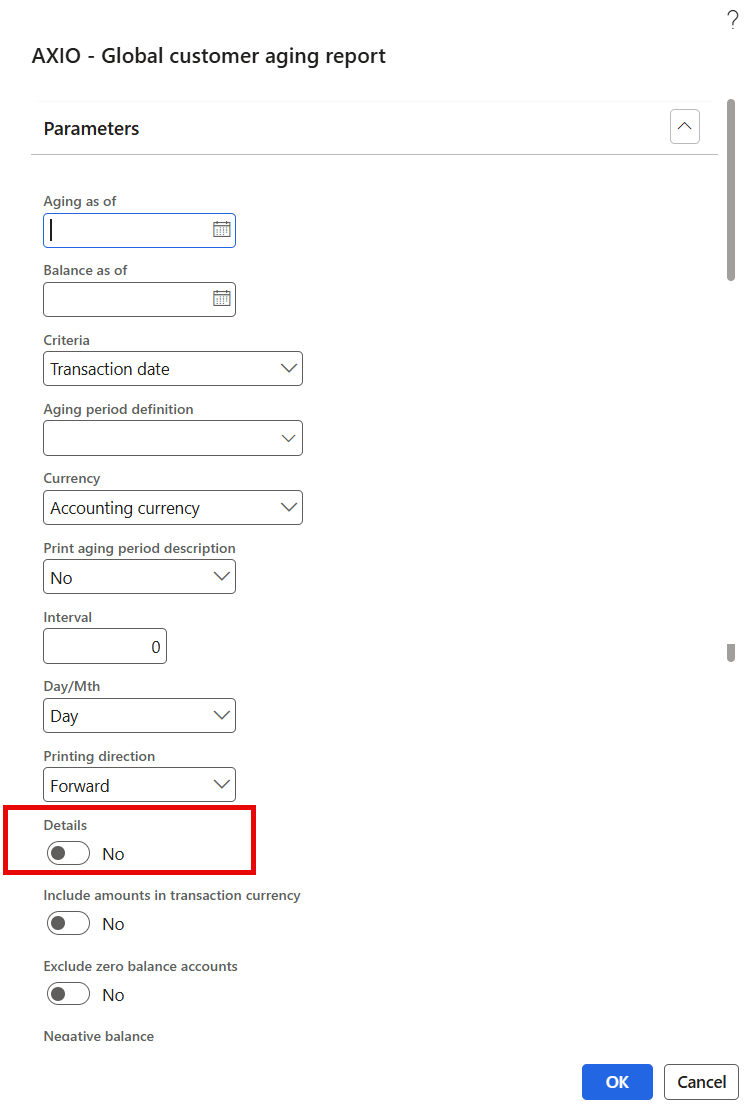
Details = No (Summary report)
To run the report with Details, set the Details button to 'off'.
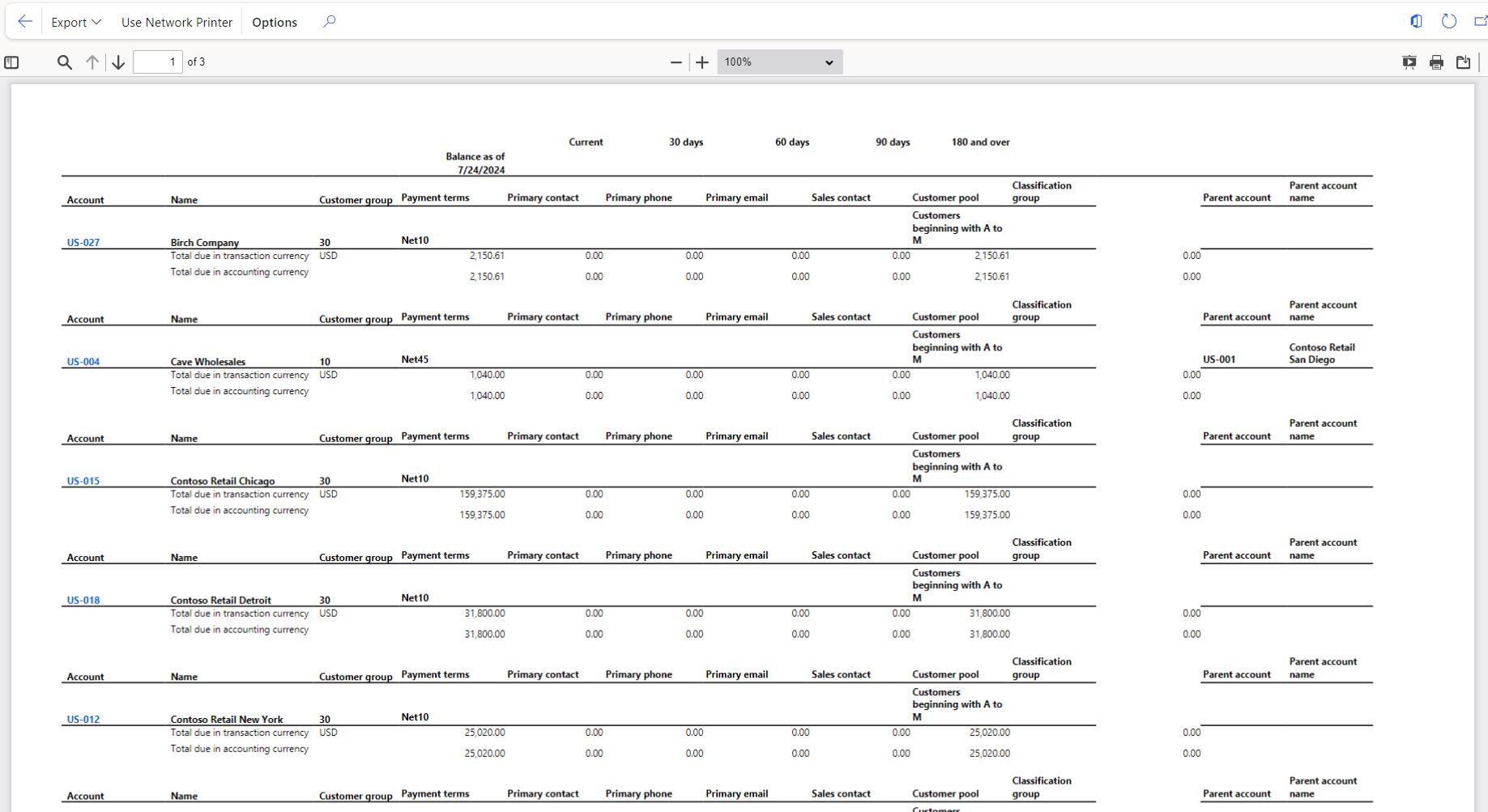
Click OK to display report.
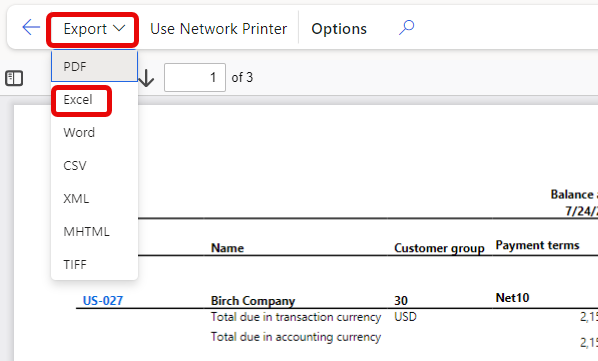
Export to Excel
After the report is displayed, to export to Excel, click Export > Excel