Data Migration Metrics Tool
The Data Migration Metrics Tool is a behind-the-scenes powerhouse for customers navigating ERP transitions. Migrating data isn’t just a technical task—it’s a high-stakes process where accuracy, accountability, and progress tracking matter deeply.
Overview
The Data Migration Metrics Tool adds the ability to run a tool to track a user's activities and results in the Data Migration process.
Setup
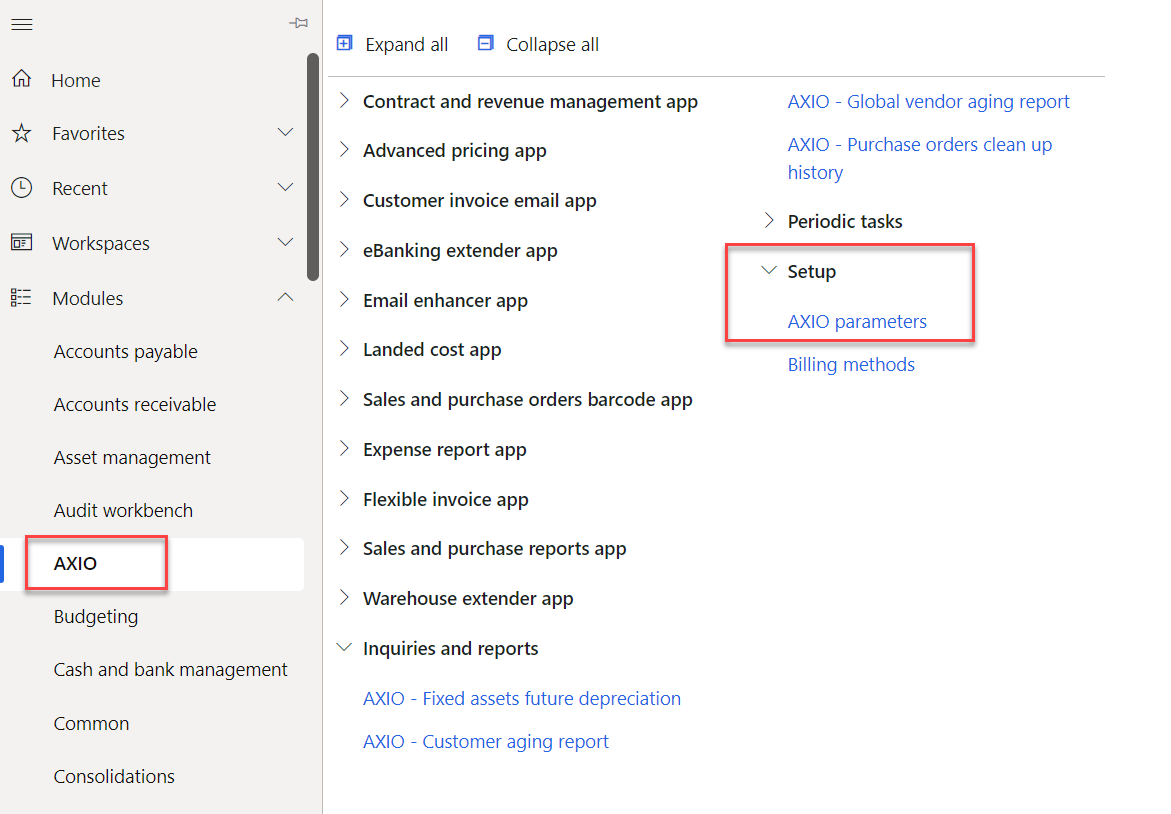
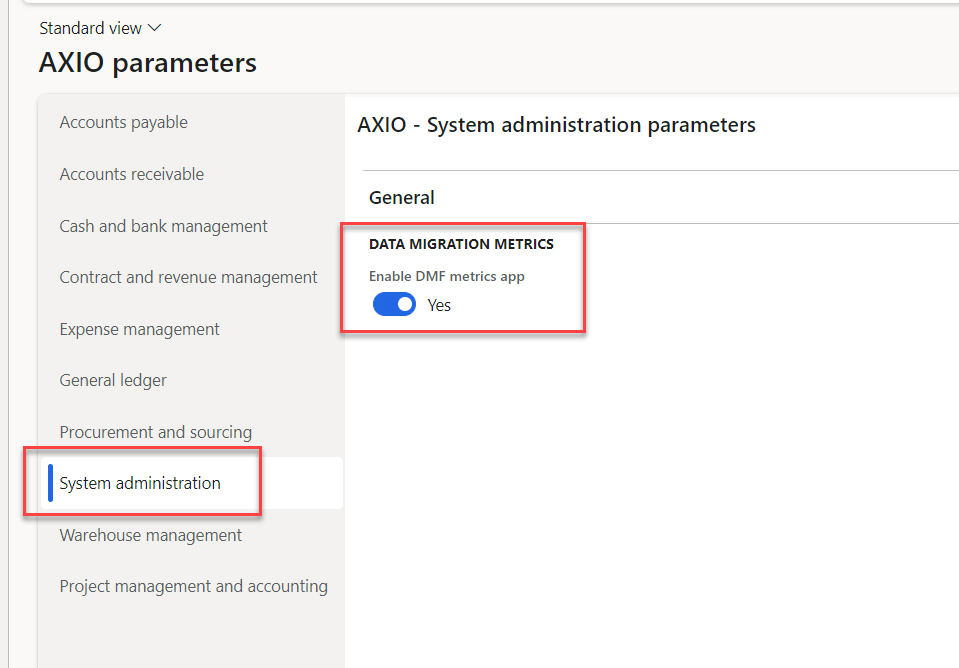
Navigate to AXIO > Setup > AXIO Parameters > System Administration > Data Migration Metrics.
Toggle Enable DMF metrics app to Yes.
Password
To establish (or reset) the DMF metrics password, navigate to System Administration > Setup > DMF metrics password setup. Type a password, retype the password in the Confirm password box and click OK. This password is required to be entered by any user who is enabling DMF on their user profile. This will enable tracking their data migration activities, and enable them to view the data migration log that is created.
Setup Users
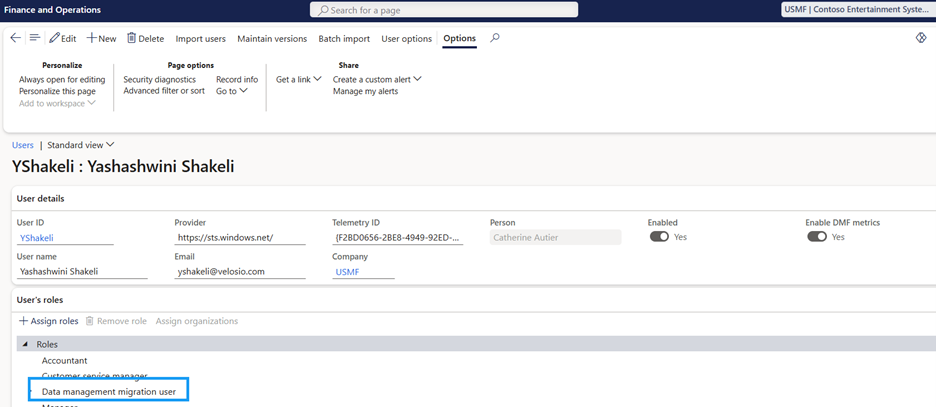
Navigate to the User record for any users who will need access to run this report.
Toggle Enable DMF metrics app to Yes.
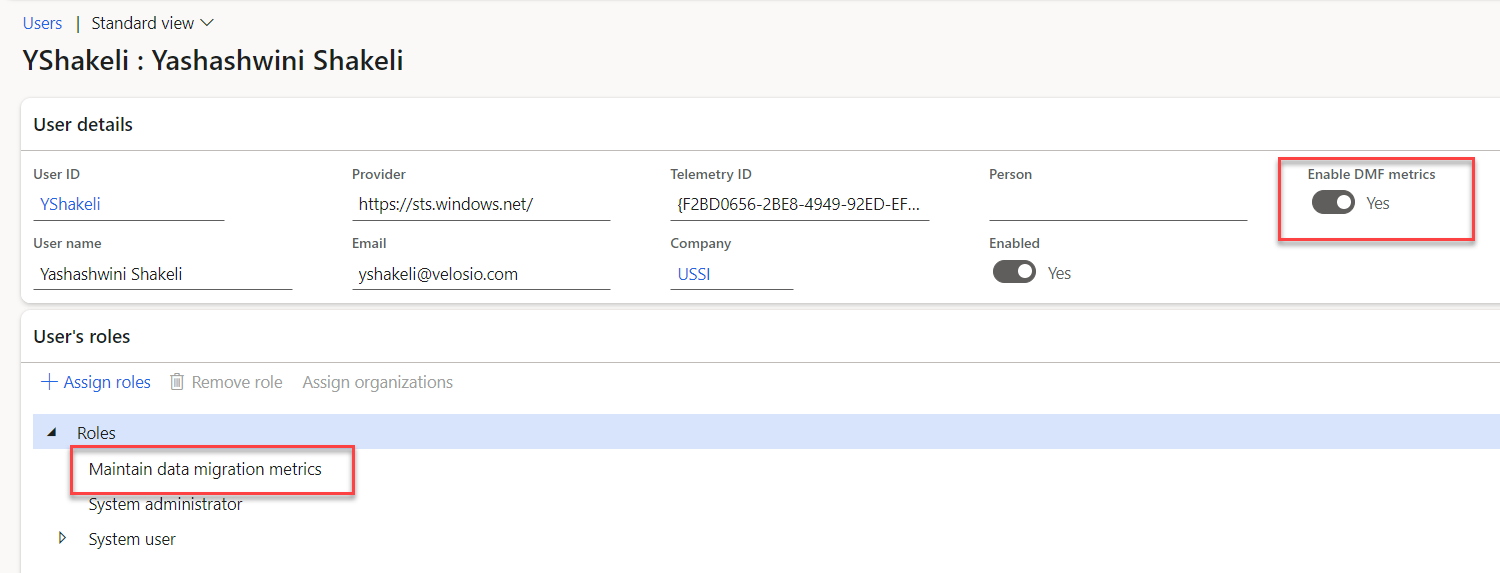
- Enter the Password that was assigned by the System Administrator and click OK.
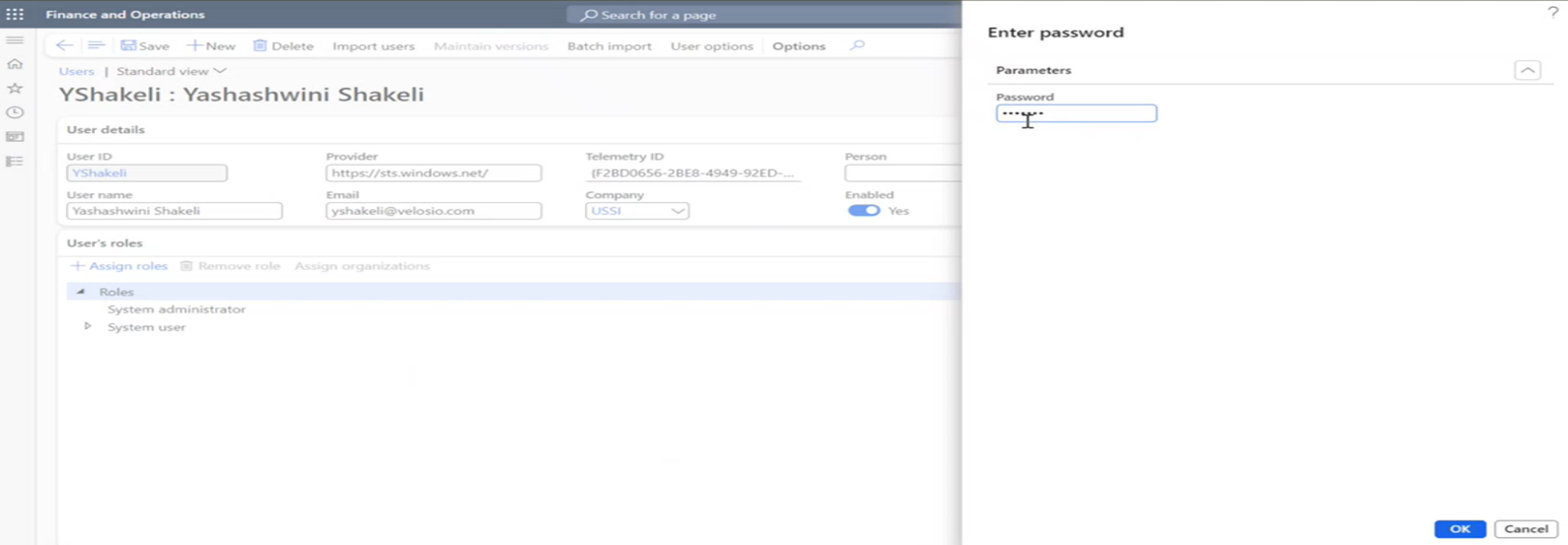
Processing
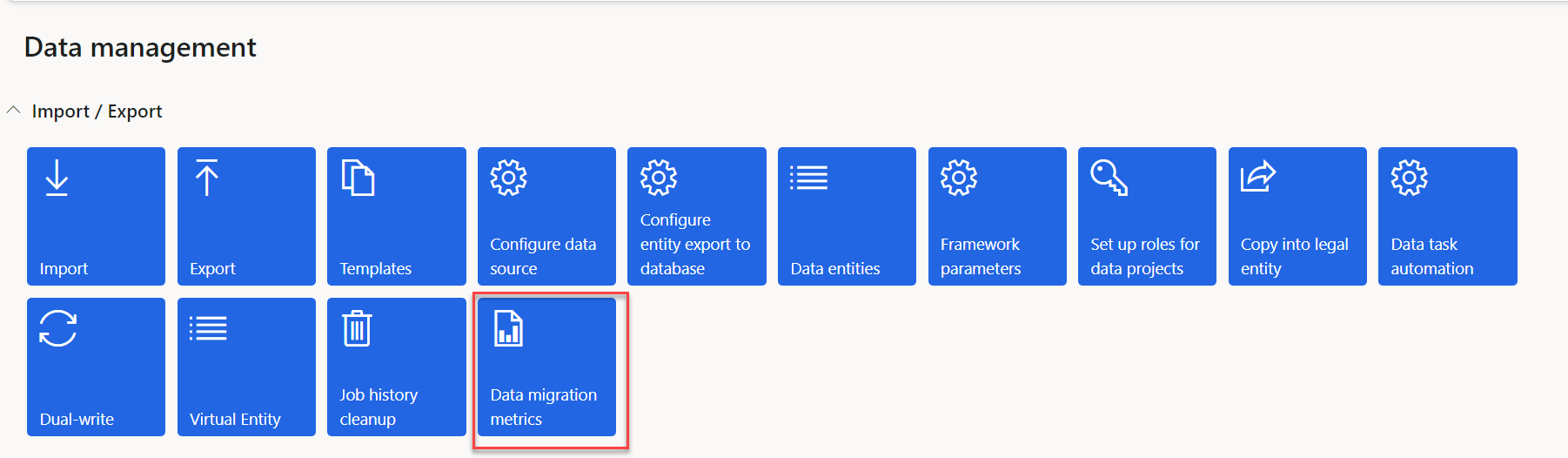
Once an Export/Import of data is run, users with the Enable DMF metrics app set to Yes can go to System Administration > Data Management > Data migration metrics.
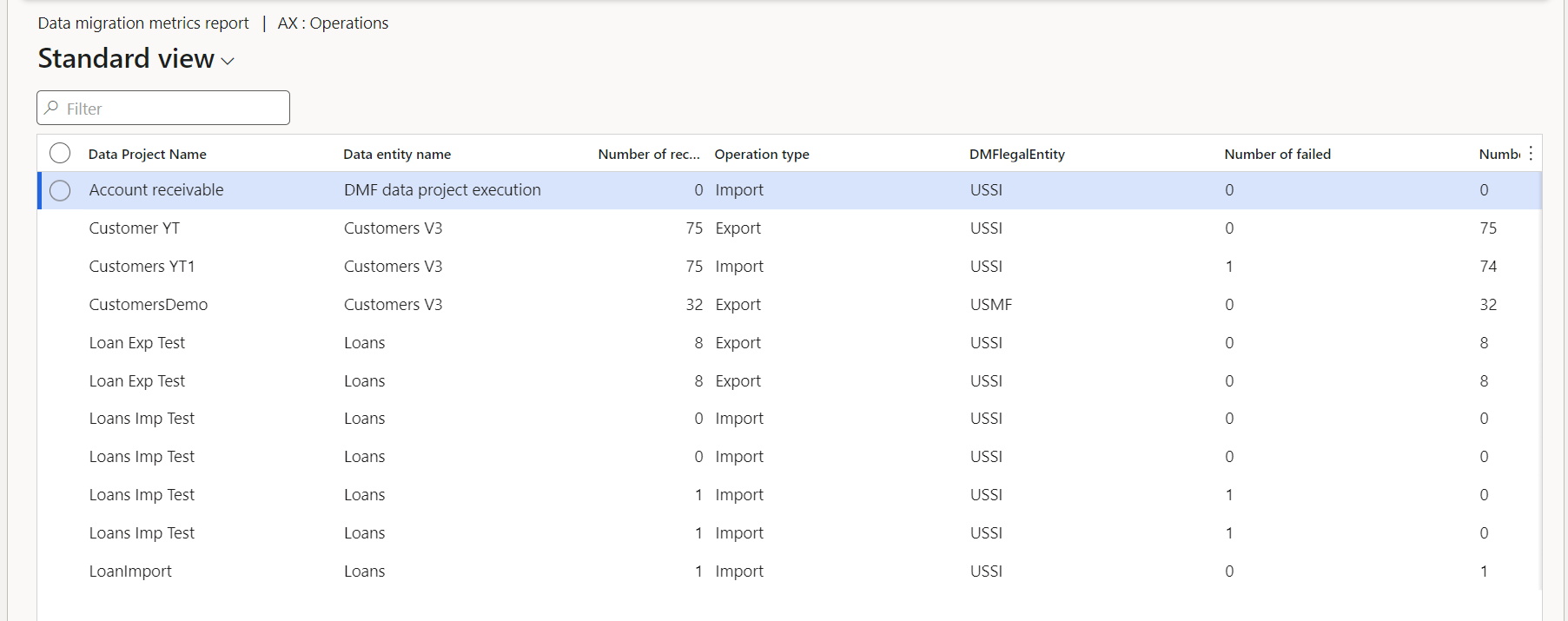
The form can be exported to Excel.

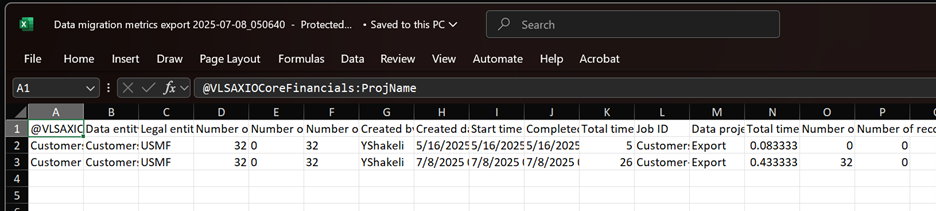
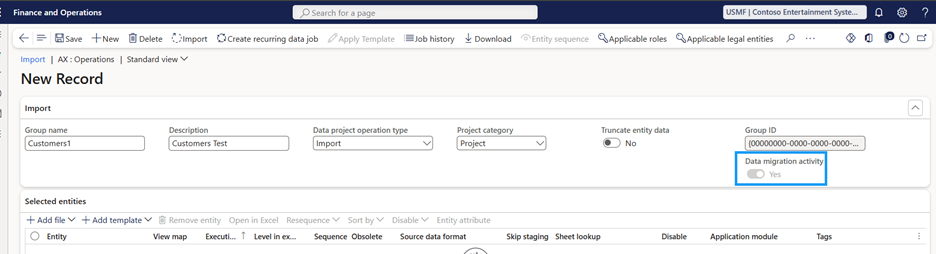
Export/Import -Standard process of projects export/import runs. The custom field Data migration activity is defaulted to ‘Yes’.
The projects cannot be deleted.
System throws an error.
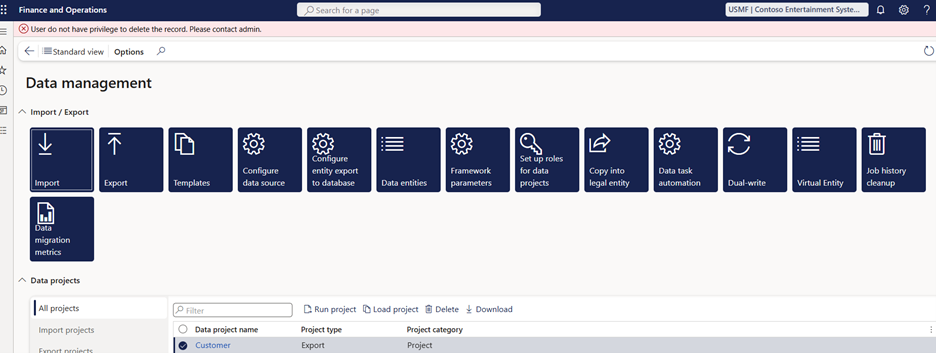
A specific role is required to delete the record/projects.