Automatic open future period
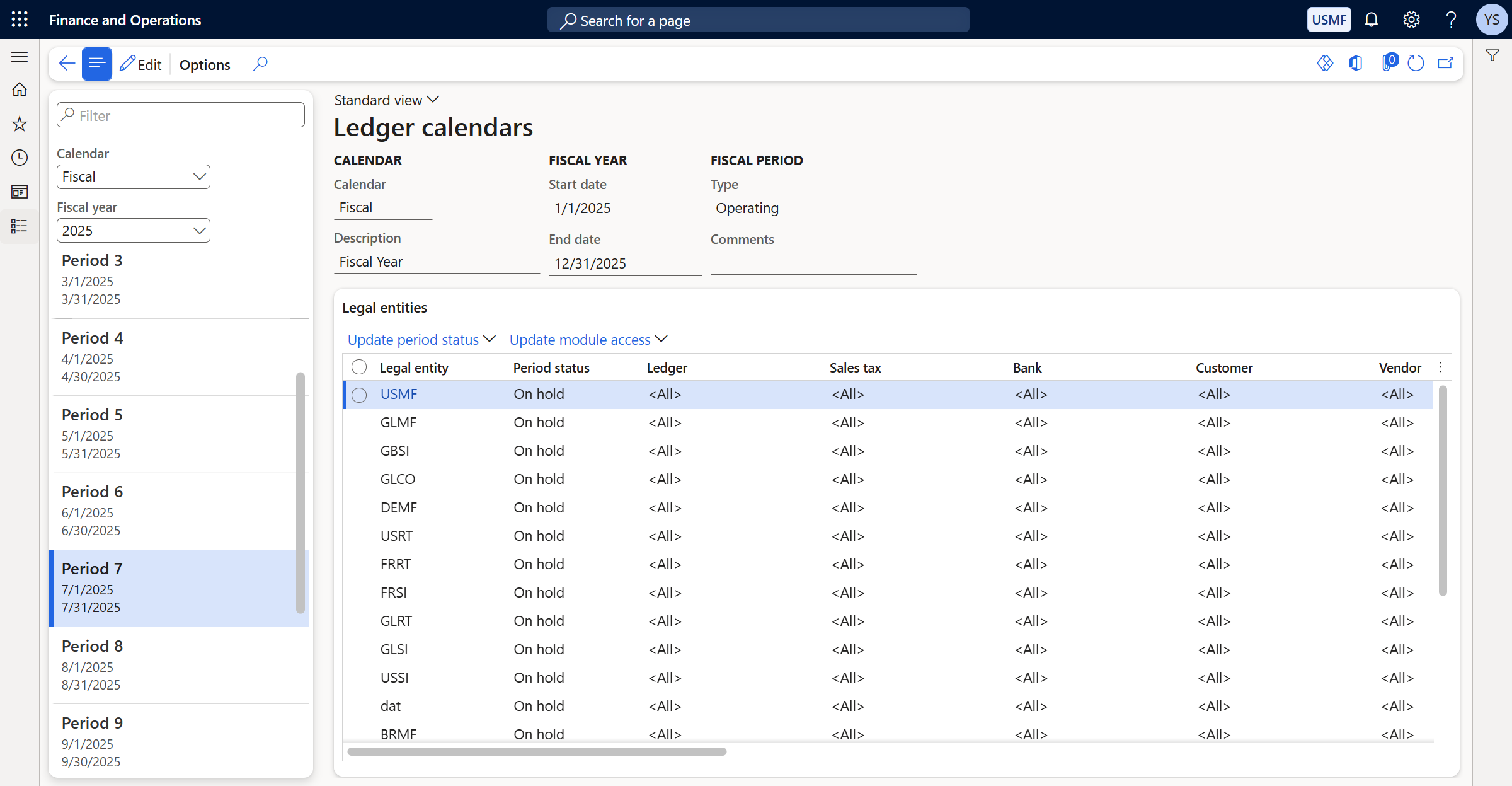
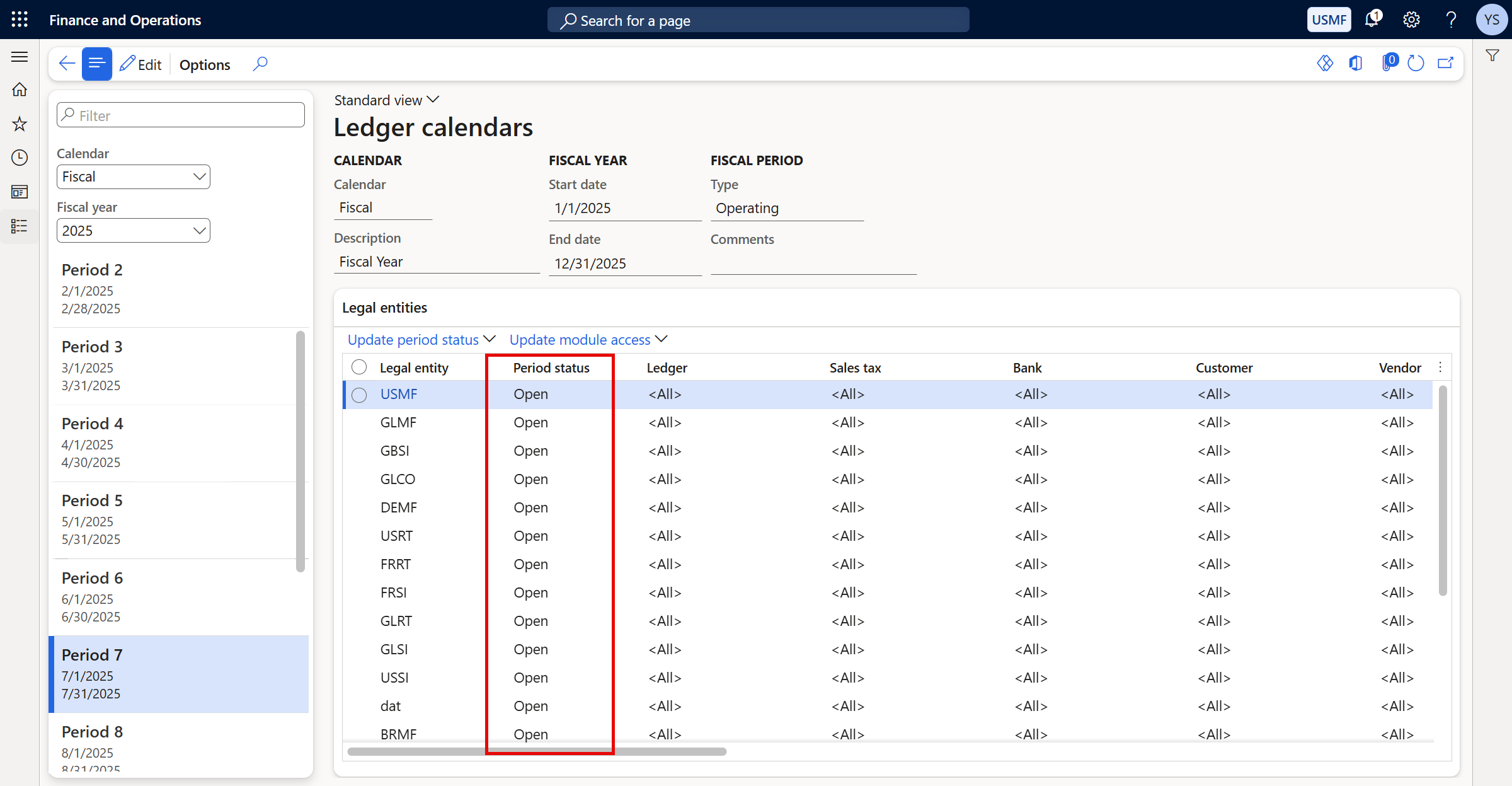
Occasionally, you may need to post entries to a future accounting period. Typically, this requires manually reopening those periods in Ledger calendars — a process that can be tedious and time-consuming. With Axio’s Automatic open future period feature, this task is streamlined. This option allows you to automatically set future period Period statuses to “Open” so you can post entries without the extra steps.
To set up a batch process to run this feature periodically:
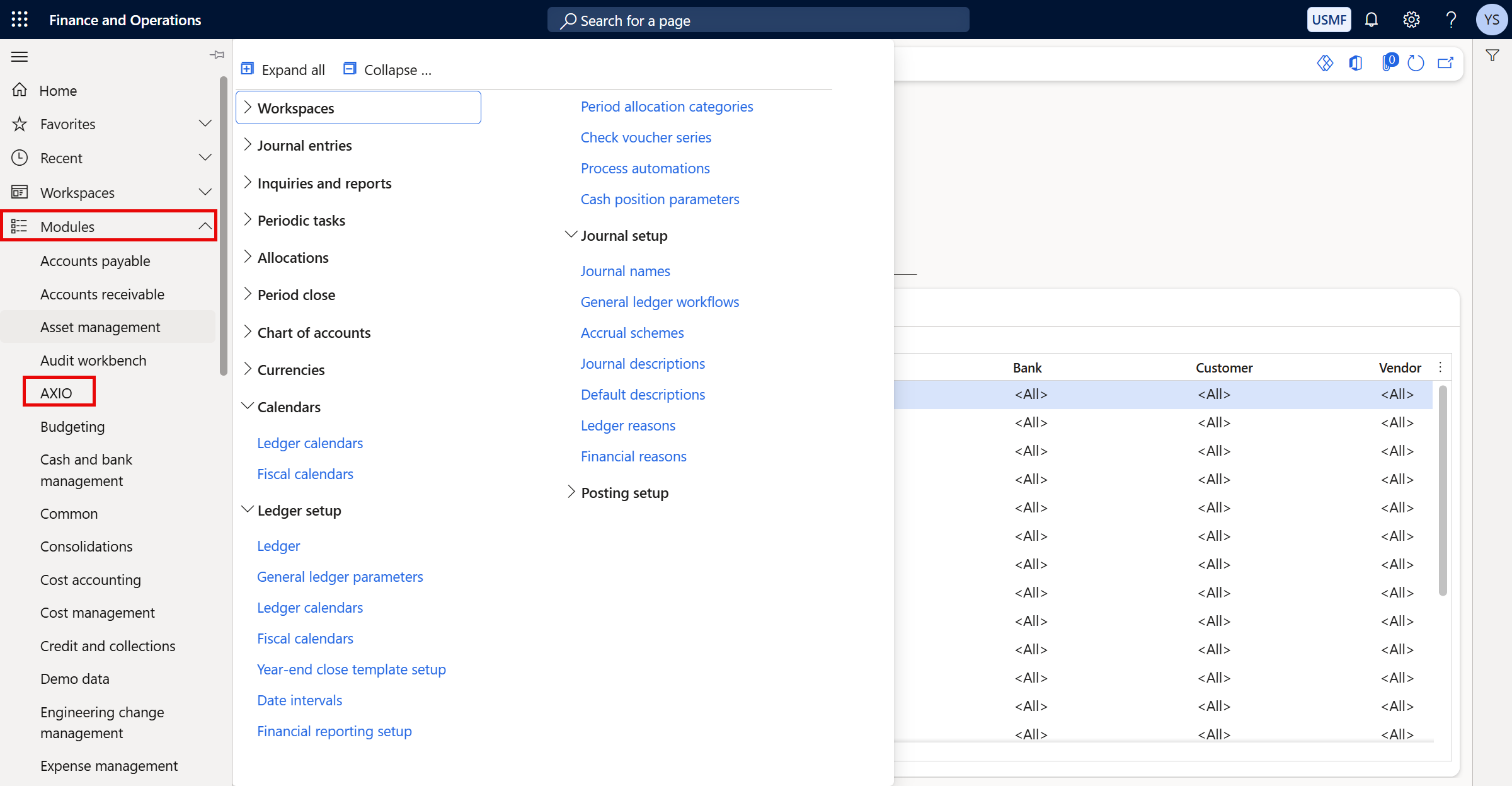
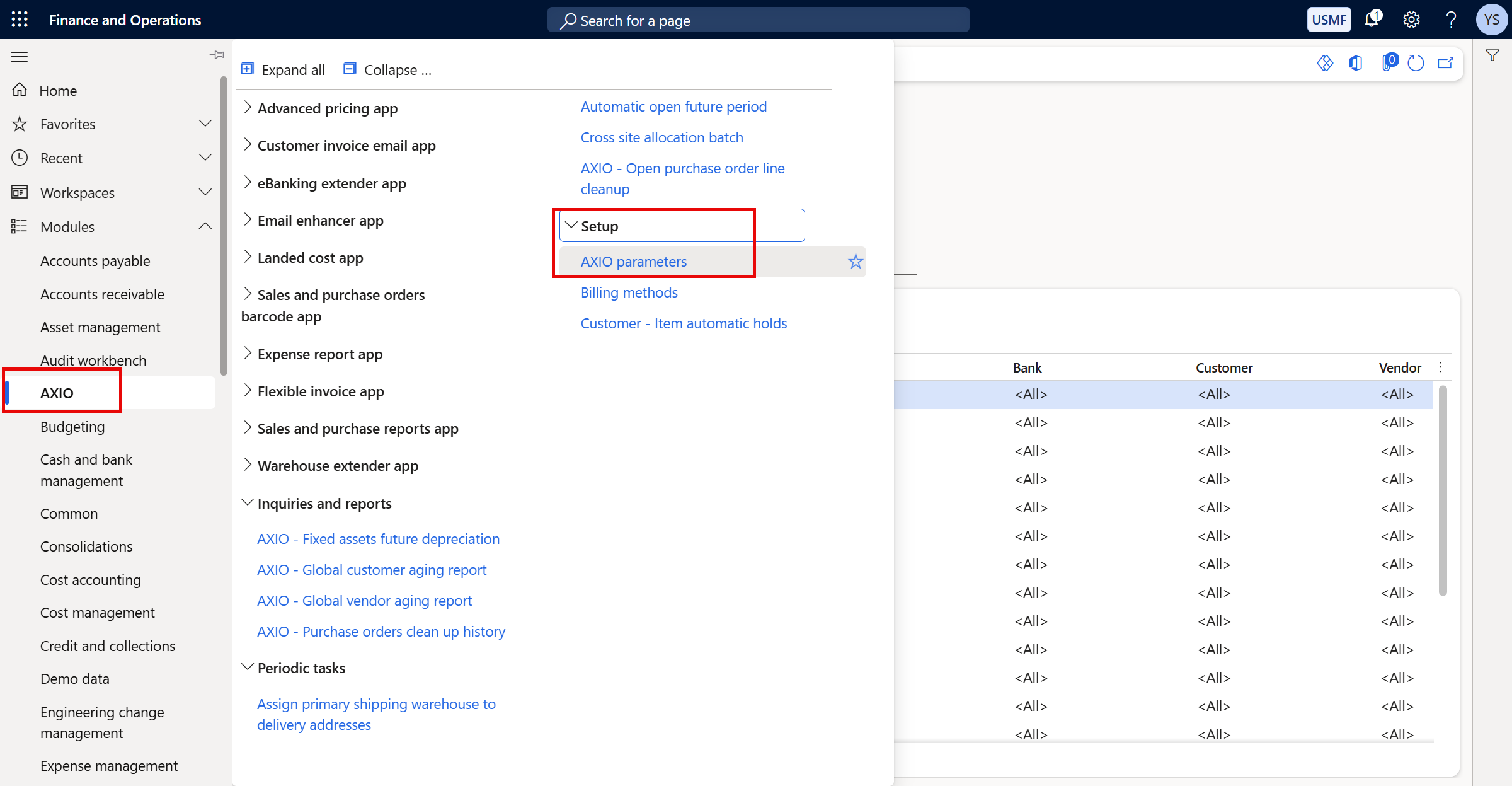
Navigate to Modules > AXIO.
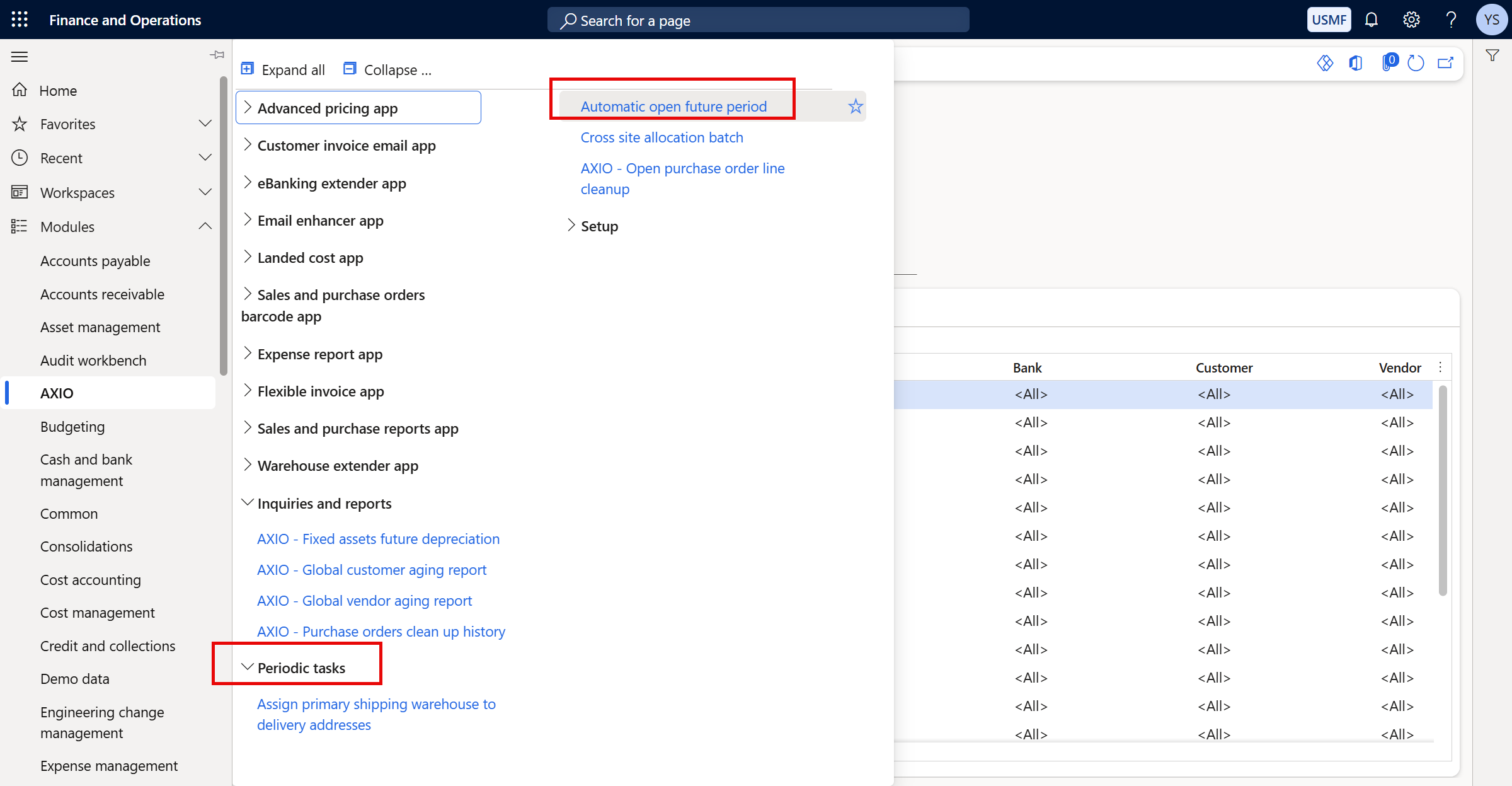
Under Periodic Tasks, select the Automatic open future period feature.
The Automatic open future period page opens. Use this page to schedule batch processing and the frequency that the batch process runs.
Set the option to YES to use batch processing for Automatic open future period.
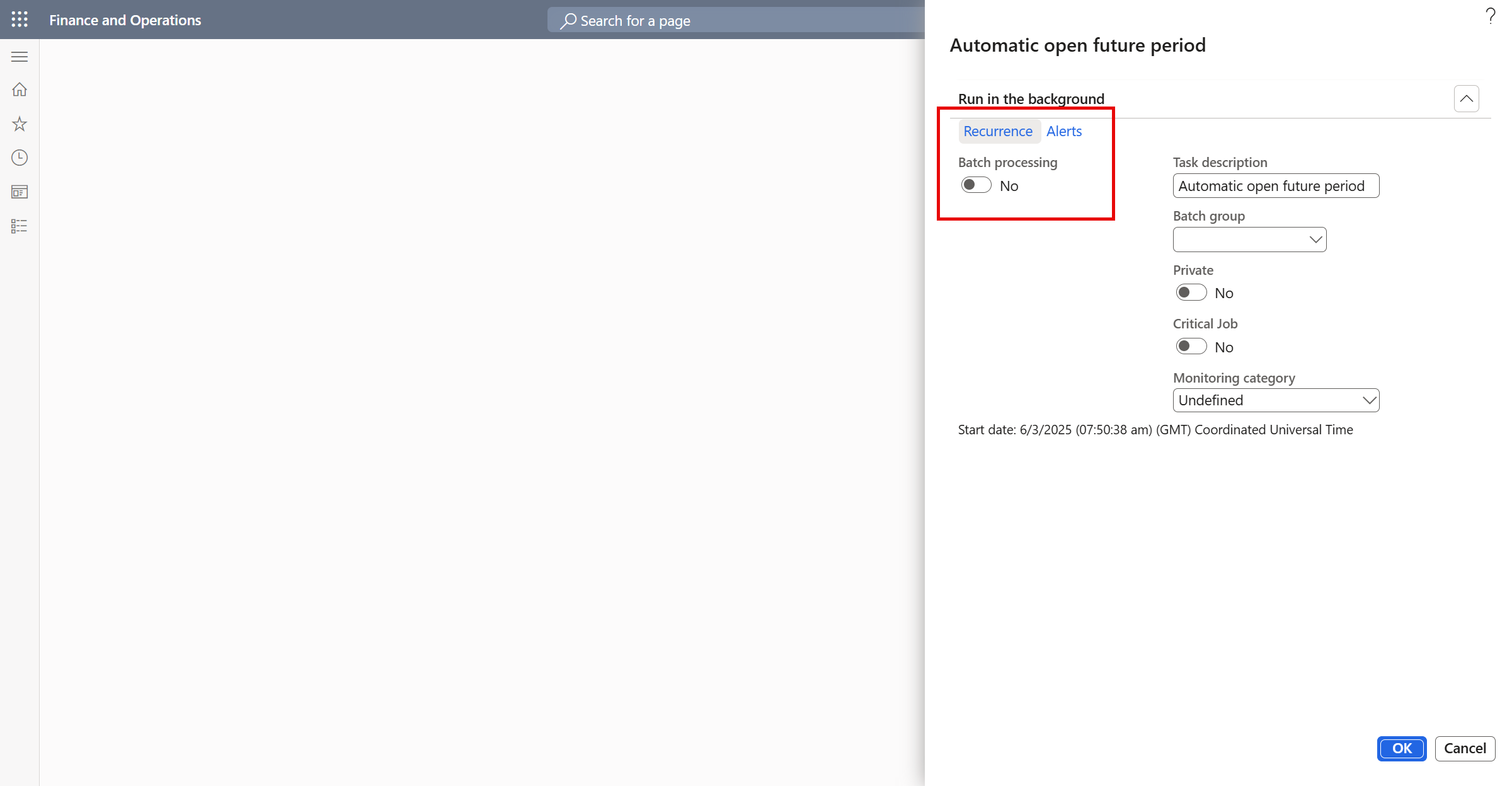
Click Recurrence to set options for how frequently the batch process will run.
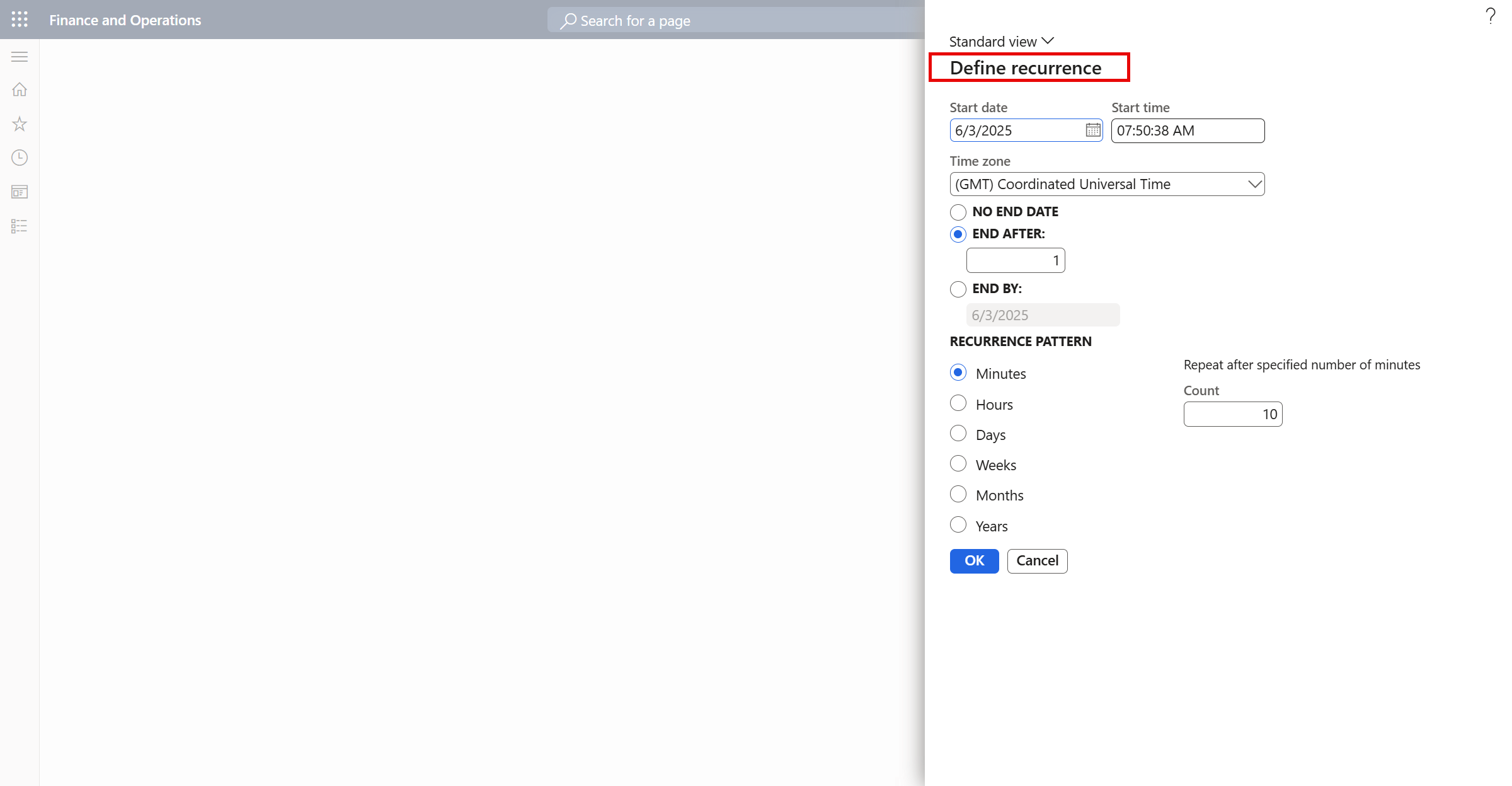
- Enter a Start Date and Start Time.
- Select No End Date if the Recurrence will continue to be generated automatically at the interval specified.
- Select End by and set a date to specify when the recurrence should end.
Recurrence Pattern: Specify how often the batch process should run. Options:
- Minutes
- Hours
- Days
- Weeks
- Months
- Years
Once the batch processing has completed successfully, the future Period statuses are set to 'Open.'
Setup
To enable the Automatic open future period feature:
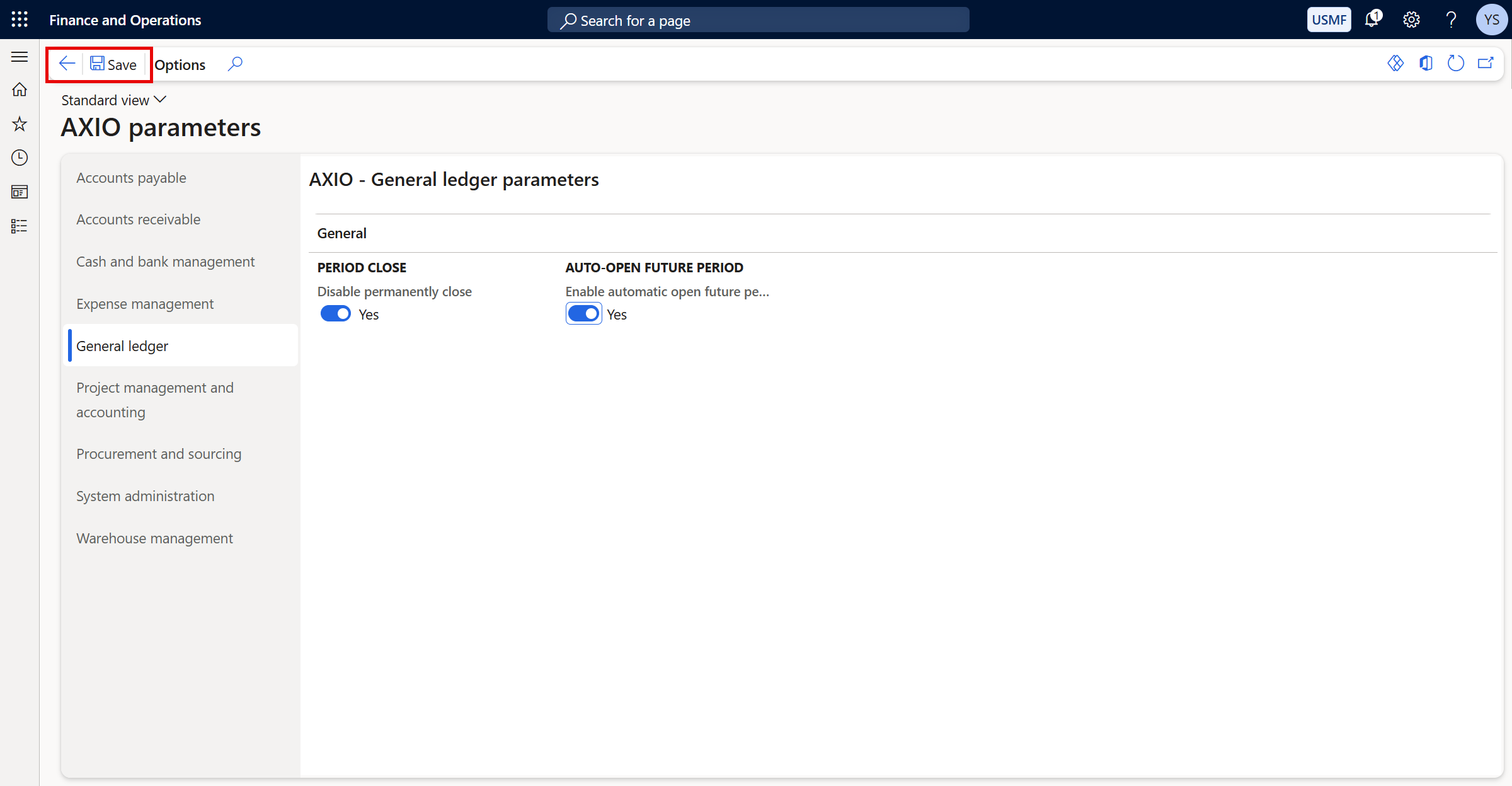
Navigate toAXIO > Setup > AXIO parameters.
Under AXIO - General ledger parameters, set Enable automatic open future period to 'Yes'.
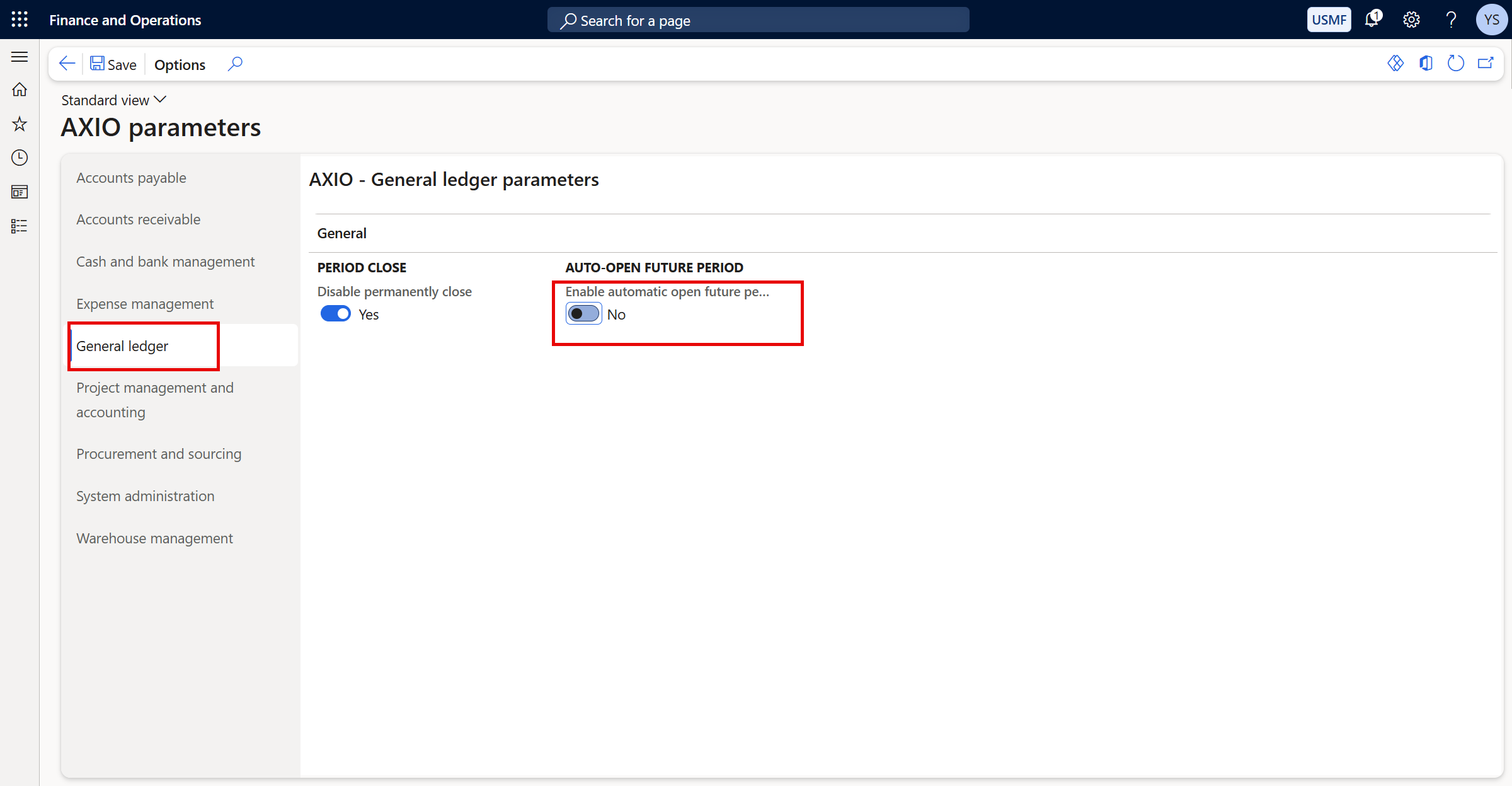
Click Save to save the change.