Customer parent-child hierarchy
Parent-Child relationships for customers is important to centralize credit and collections and improve reporting and visibility across company structures.
Overview
The AXIO Customer Parent-Child Hierarchy lets you assign Parent-Child relationships between customers. When this feature is enabled and setup, the Parent-child fields also displays on various pages and reports for reporting purposes.
Setup
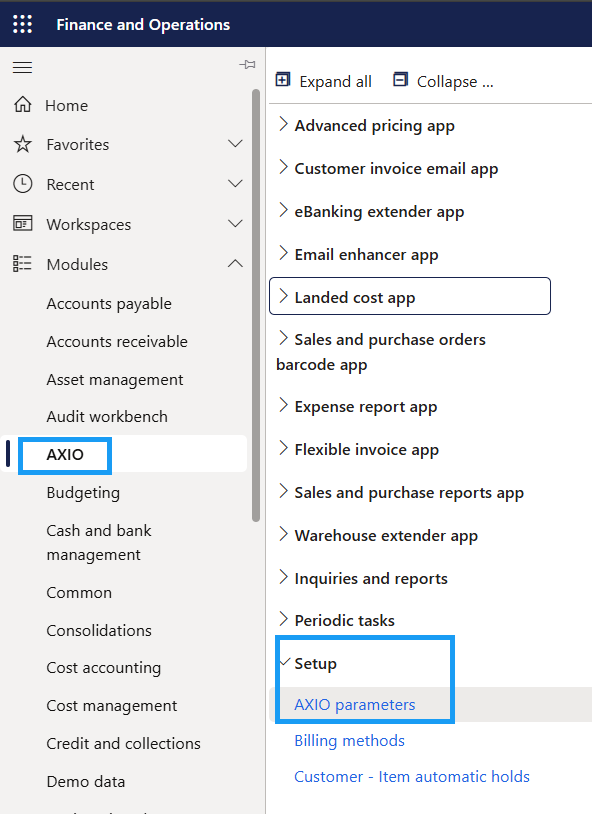
- Navigate to AXIO > Setup >AXIO Parameters > Accounts receivables > General > Enable parent-child hierarchy.
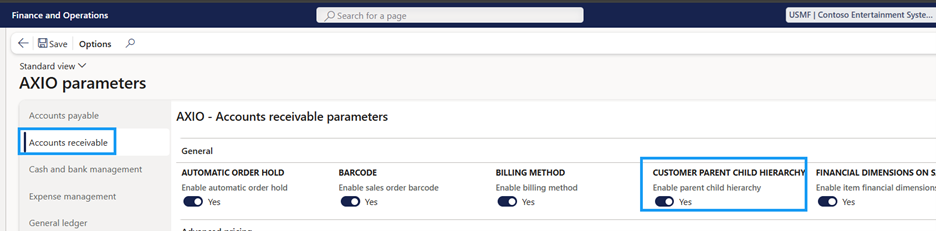
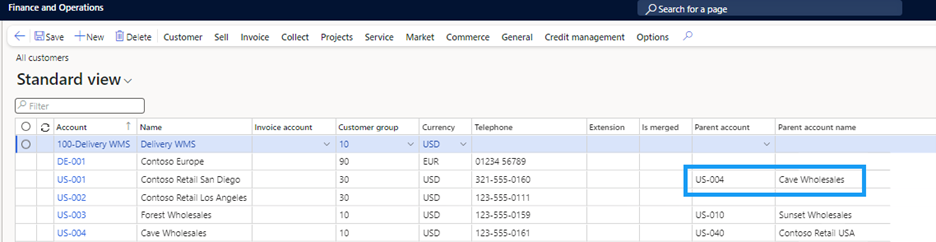
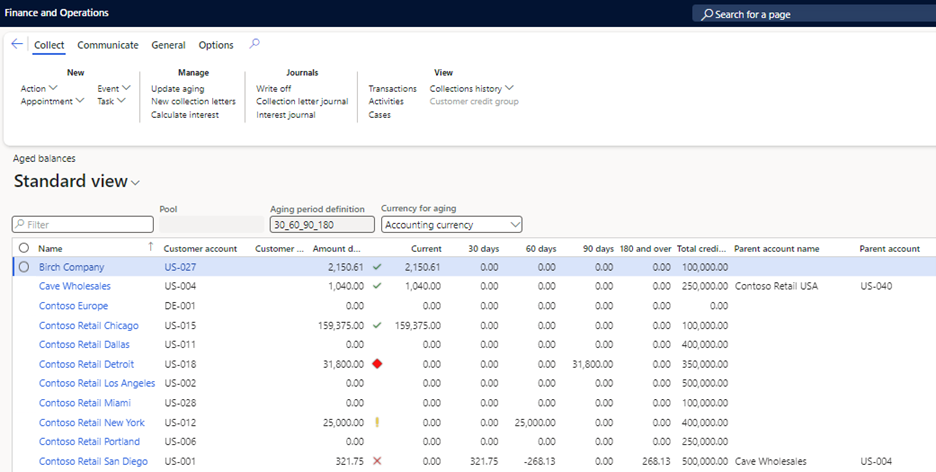
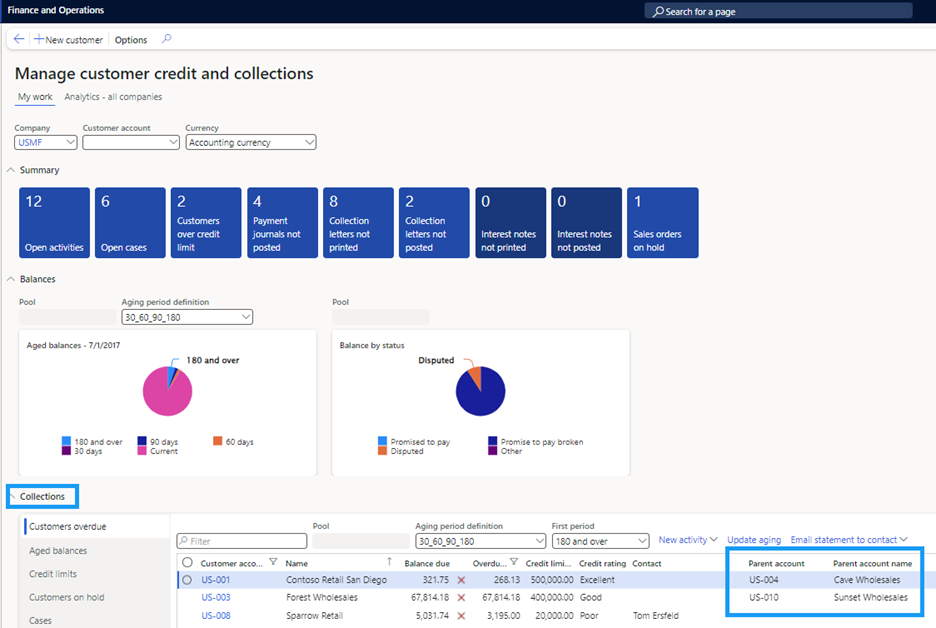
By enabling this feature, Parent account and Parent account name fields are added to:
Customers
Credit and Collections module >> Collections >> Aged balances
Customer Credit and collections workspaces
Customer aging report

Process
To create a parent-child hierarchy:
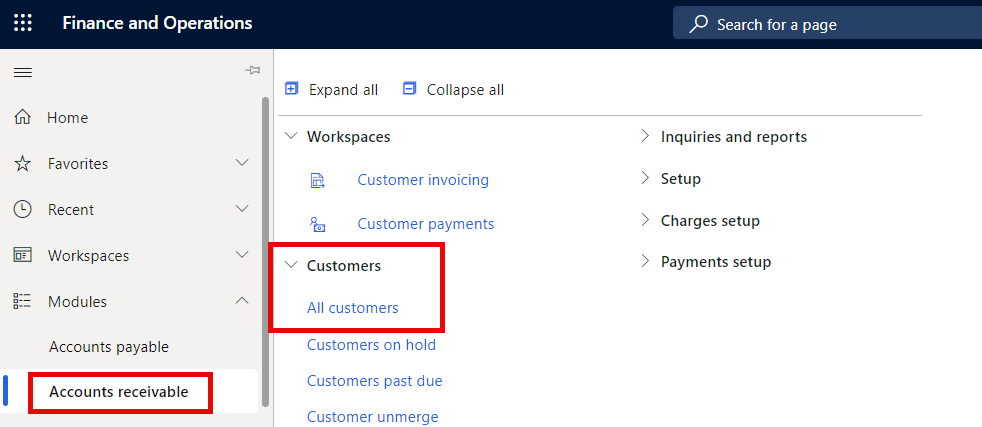
Navigate to Accounts Receivable > Customers > All Customers.
Select any Customer account from the list and scroll to the Parent customer FastTab.
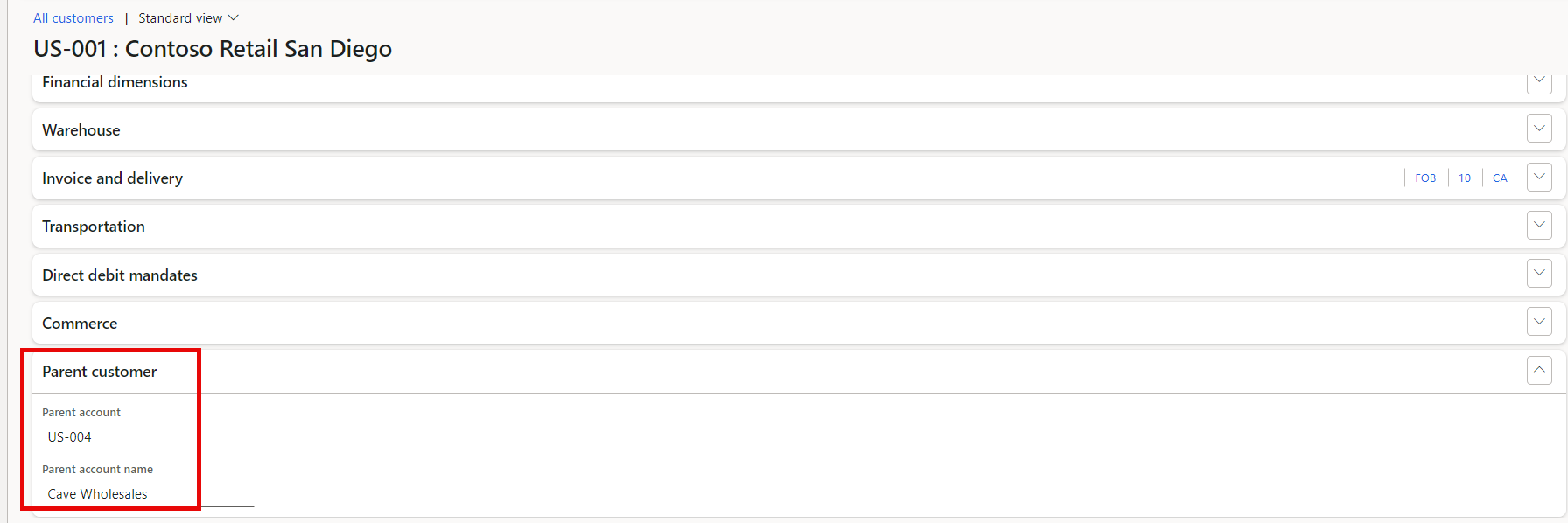
Select the Parent account.
The Parent account name automatically updates.
Click Save.
Return to the Customers List page and verify that the Parent account and Parent account name for the selected account are populated.